
Turn on and identity
The launcher is the app your players install to join the server, with your store's name and brand. It downloads the mods, sets up Java and opens the game on the right server. The store's plan defines whether it is included, how many builds per month, how many modpacks and how much space for mods.
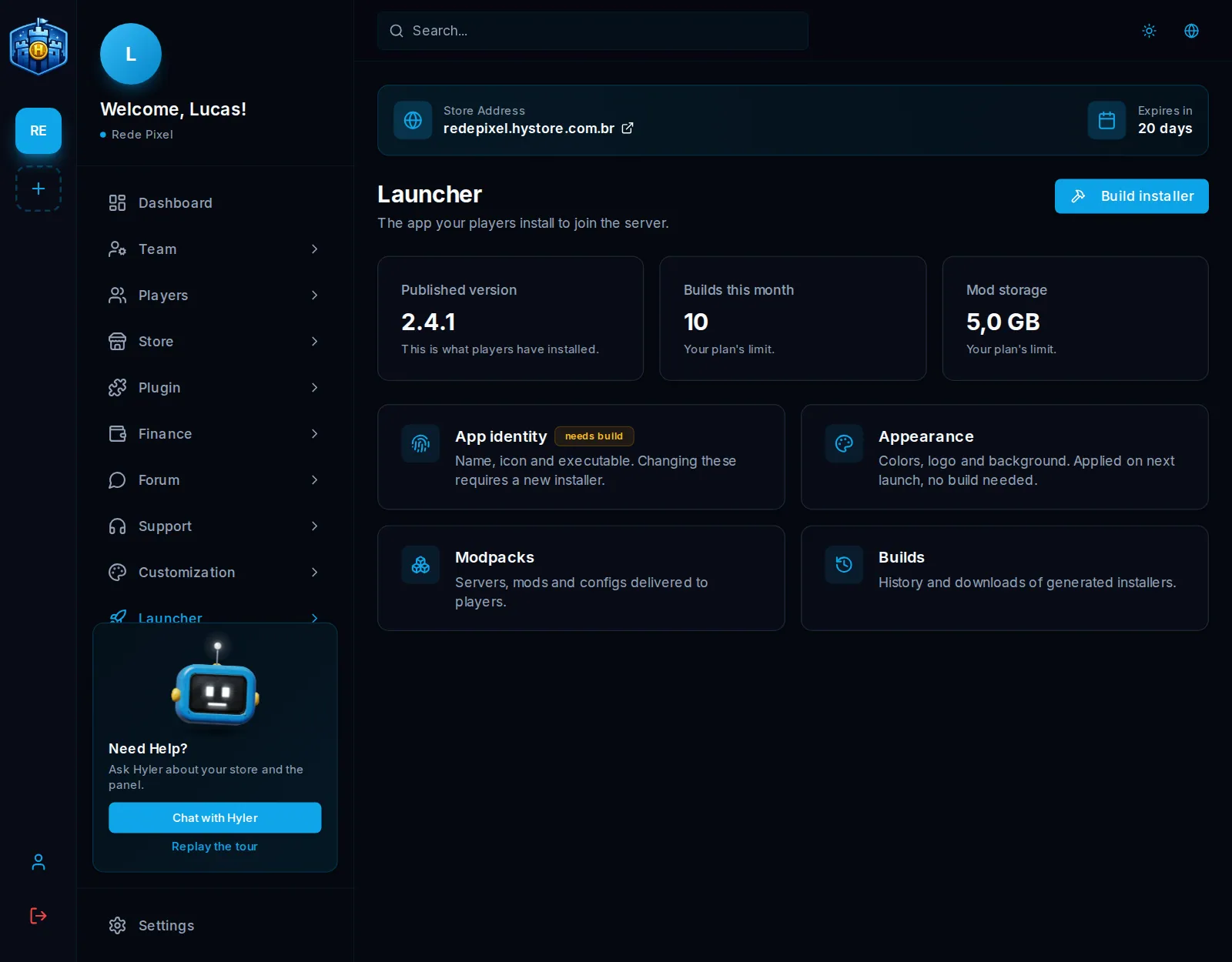
The path
| Step | Screen | Needs a new installer? |
|---|---|---|
| 1 | Identity: name, icon and executable | Yes |
| 2 | Appearance: colors, logo, background and music | No |
| 3 | Modpacks: server, version and files. See Accounts and modpacks | No |
| 4 | Accounts & login: if the server uses its own login | No |
| 5 | Builds: build the installer. See Build the installer |
App identity
In Launcher > Identity:
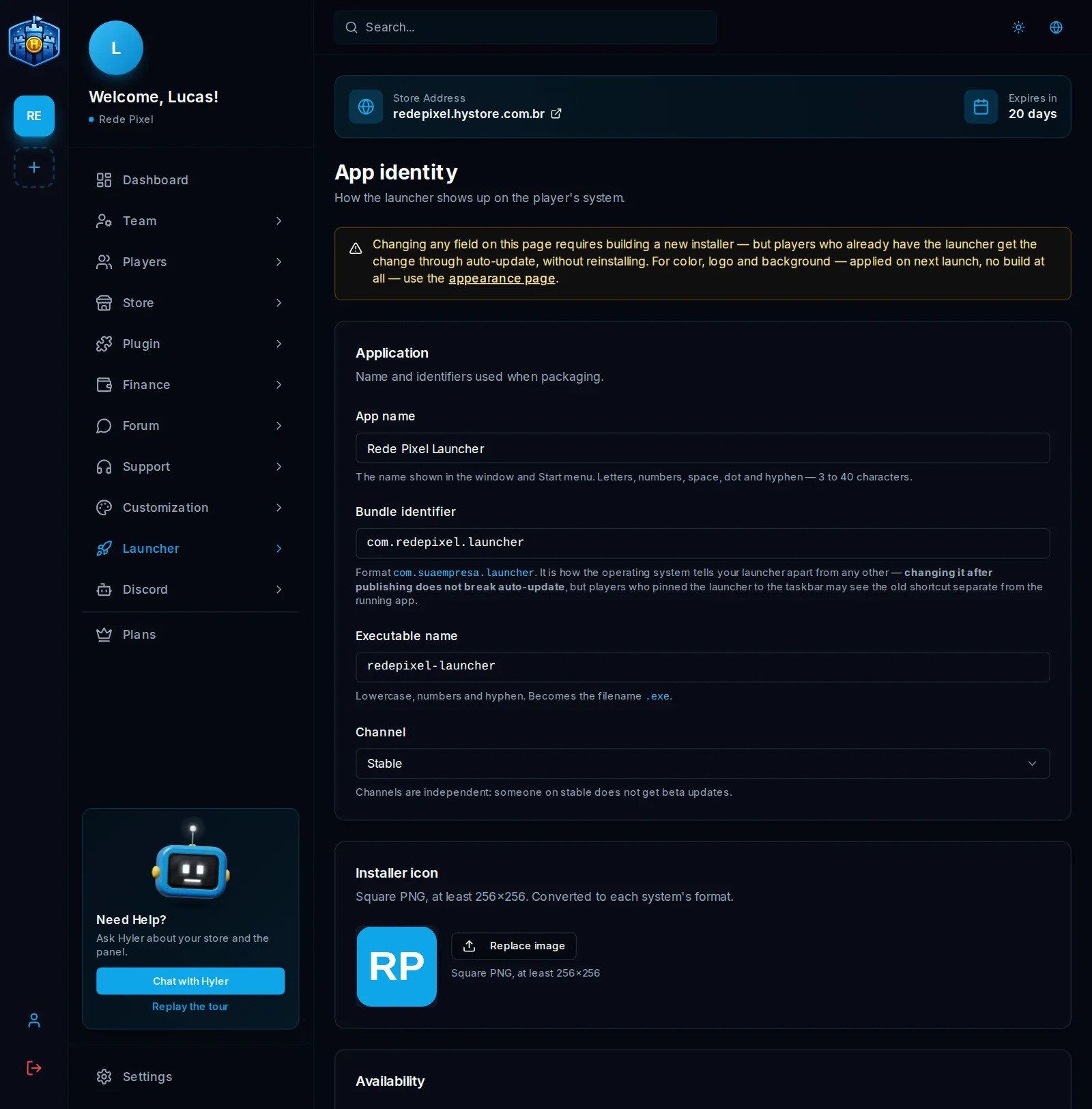
| Field | What it is | Example |
|---|---|---|
| App name | What shows on the window and the Start menu. 3 to 40 characters | Rede Pixel Launcher |
| Bundle identifier | How the system tells your launcher from others | com.redepixel.launcher |
| Executable name | Lowercase, numbers and hyphens. It becomes the file name | redepixel-launcher |
| Channel | Stable or Beta. Whoever installed from one does not get updates from the other | Stable |
| Installer icon | Square PNG, at least 256x256 |
The icon can only be uploaded after saving the identity for the first time.
Players who already have the launcher get the change through auto-update, after you build a new installer.
Appearance
In Launcher > Appearance, the preview on the side shows how it looks. Nothing on this screen needs a build.
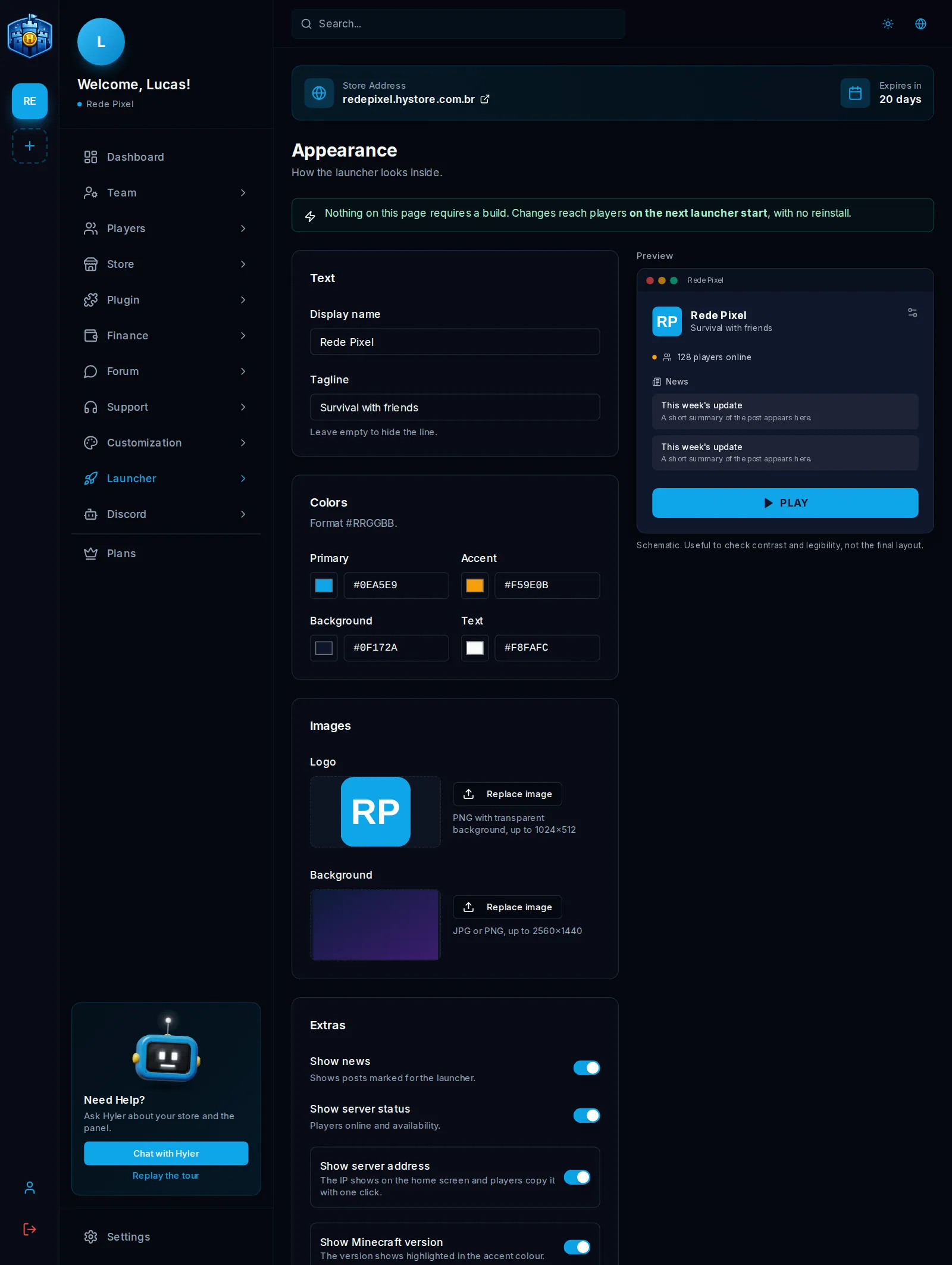
- Texts: Display name and Tagline. An empty tagline hides the line.
- Colors: Primary, Accent, Background and Text, in the
#RRGGBBformat. - Images: Logo (PNG with a transparent background, up to 1024x512) and Background (JPG or PNG, up to 2560x1440). Up to 8 MB each.
- Background music: MP3 or OGG, up to 8 MB. The Initial volume is just the start: the player adjusts or turns it off in their settings.
| Extra | What it does |
|---|---|
| Show news | Shows the news posts marked for the launcher |
| Show server status | Players online and availability |
| Show server address | The IP shows on the home screen and the player copies it with one click |
| Show Minecraft version | The version shows in the accent color |
Click Save appearance. It applies on the next launcher start.
