
Install the plugin
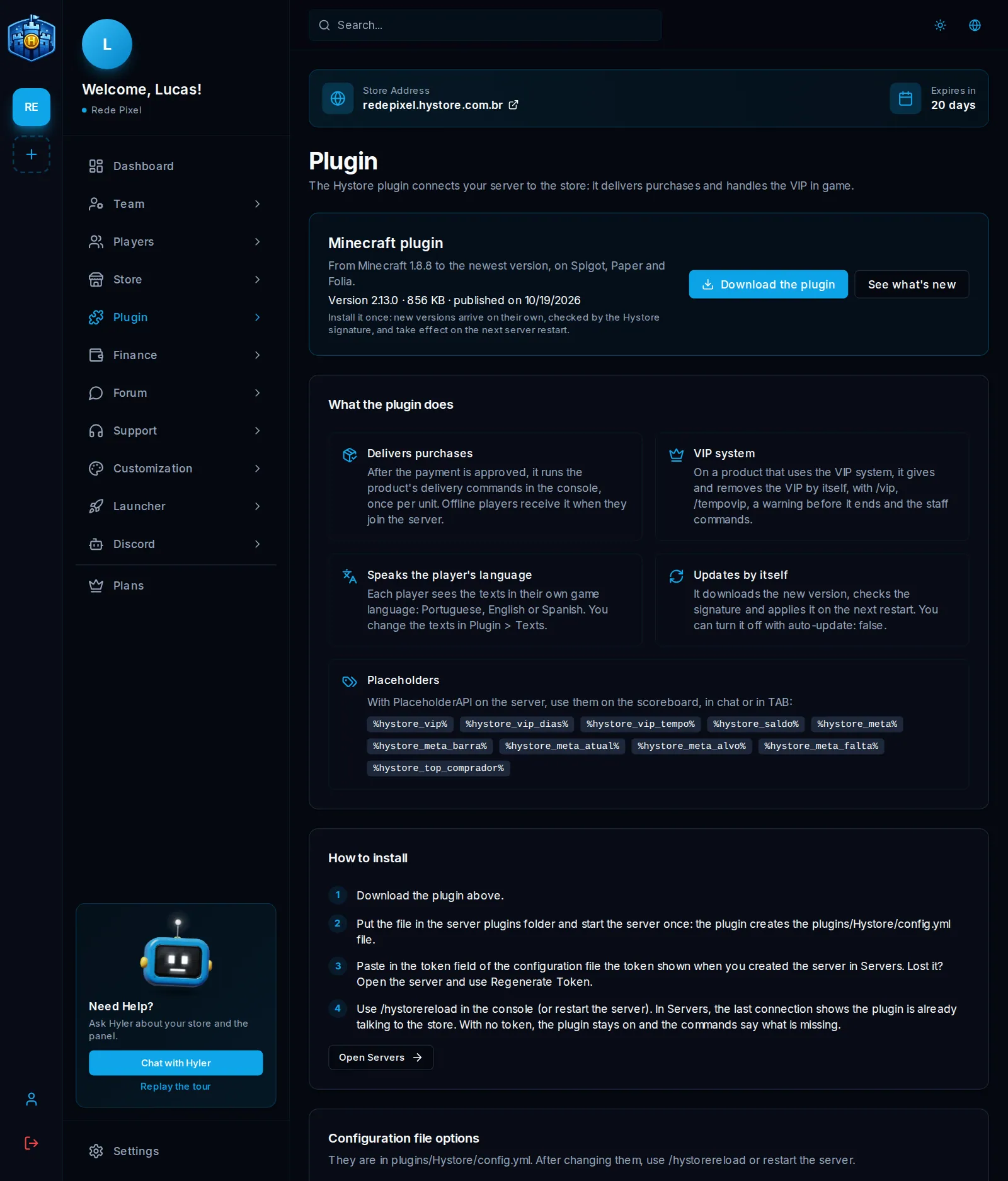
The plugin connects your server to the store. It delivers purchases, handles VIP in game
and brings announcements and /loja into the server. This section only shows in
Minecraft and Hytale stores.
The same Minecraft plugin runs from version 1.8.8 to the newest one, on Spigot, Paper and Folia.
Step by step
You will need access to the server files, usually through your host's panel.
1. Create the server on the store
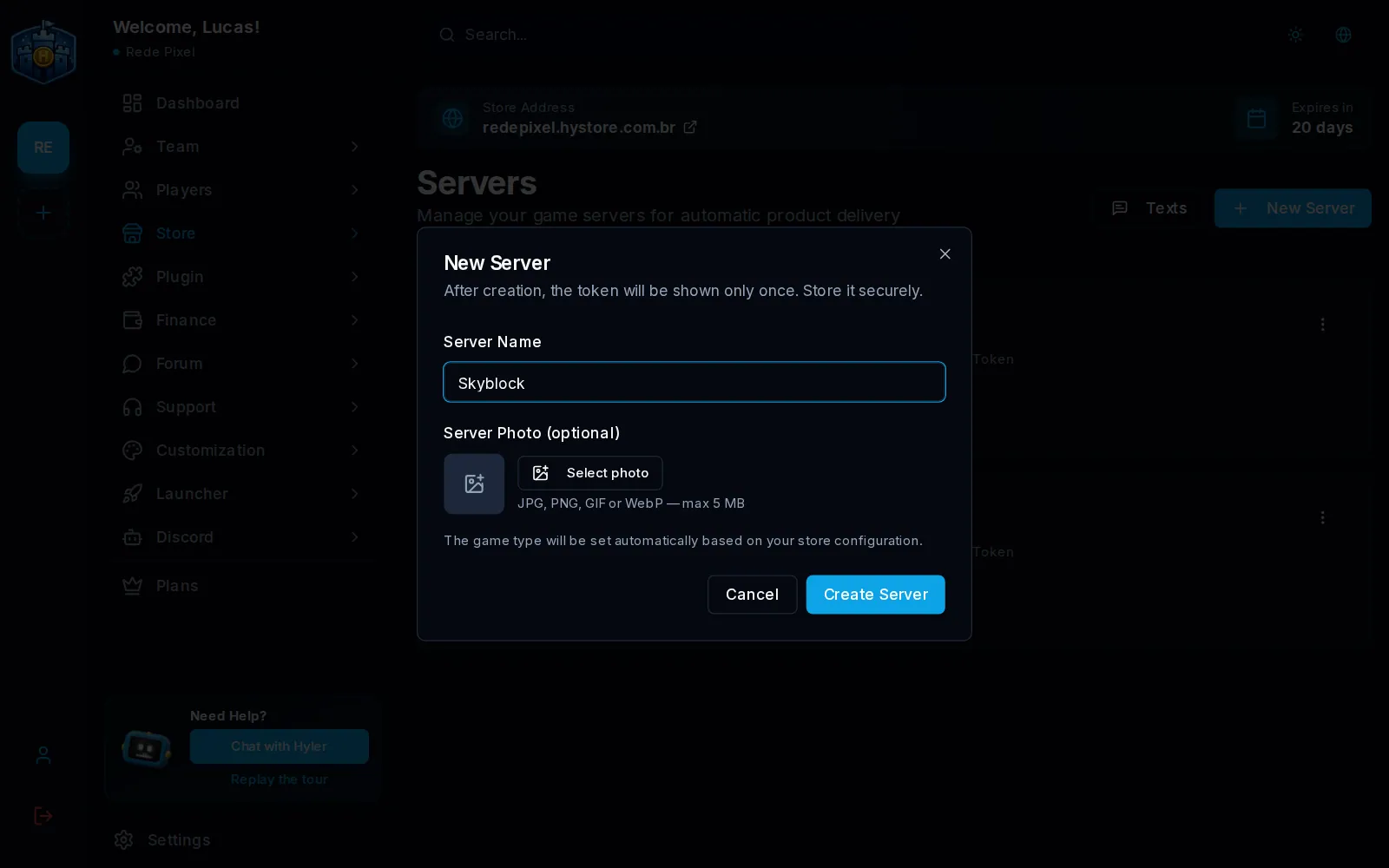
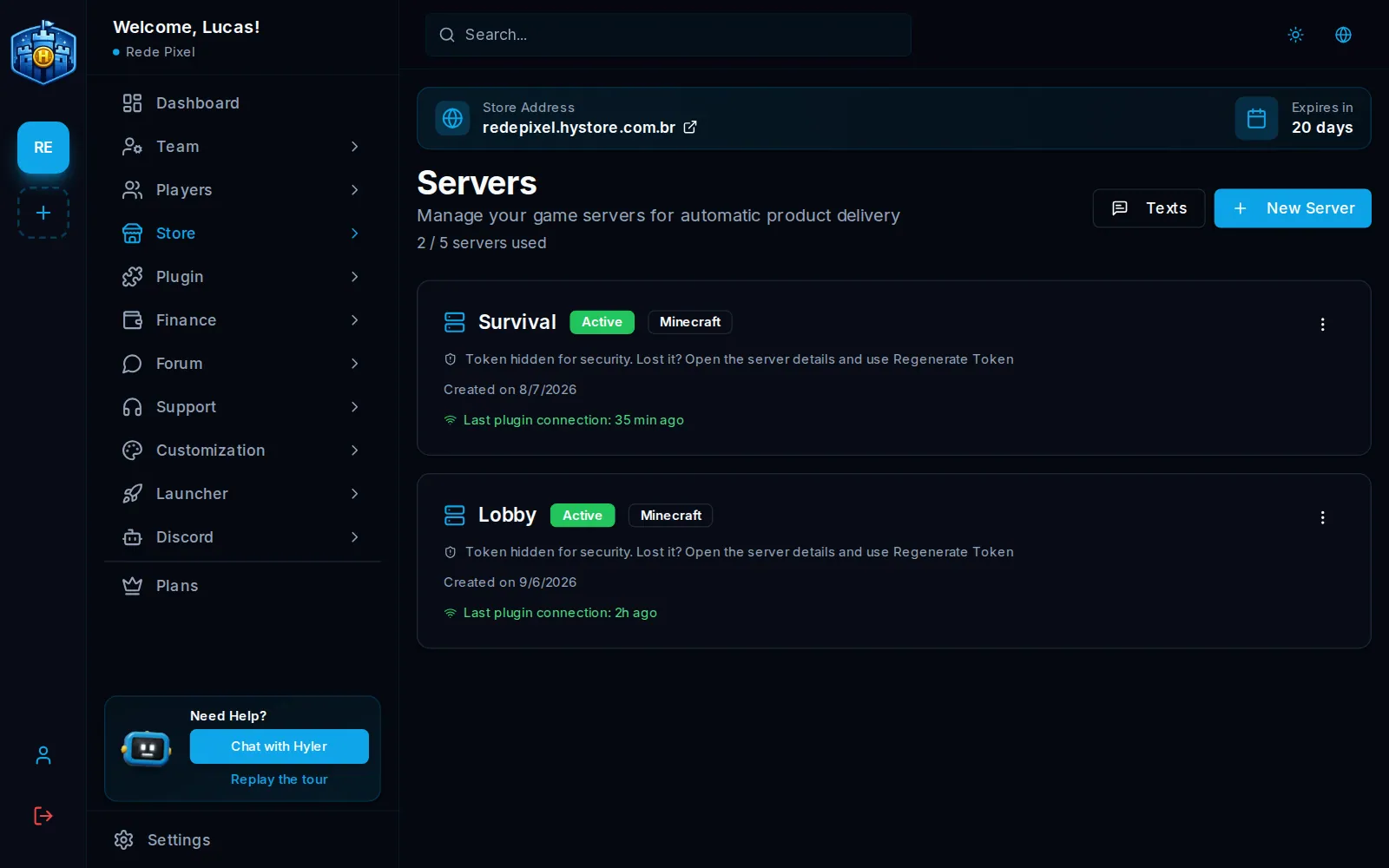
- In Store > Servers, click New Server.
- Give it a name, like
Survival. The photo is optional. - Click Create Server.
2. Copy the token
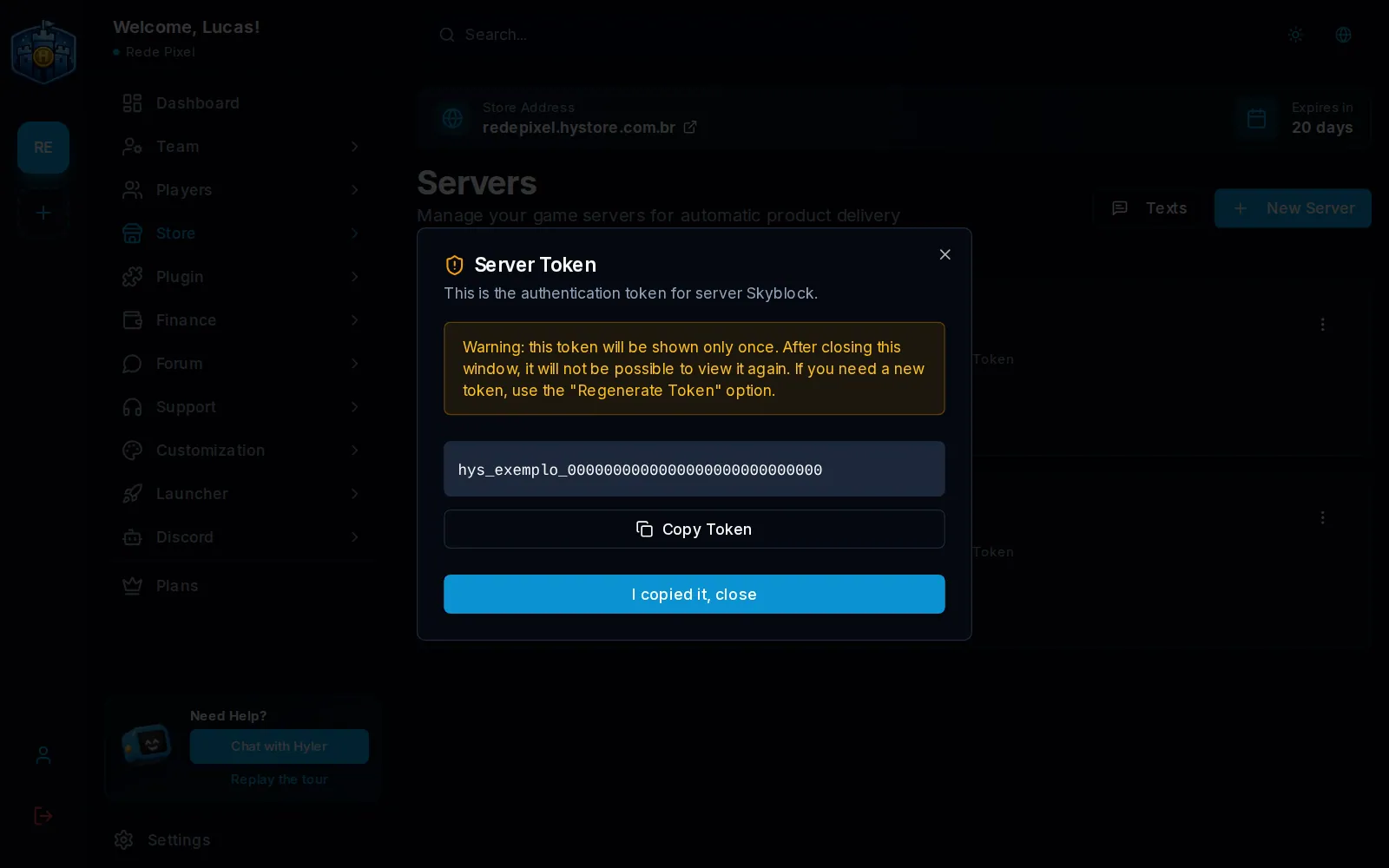
After creating it, the screen shows the token, the password that links the plugin to this server. Copy it now: it shows only once, in this window. Lost it? Open the server and use Regenerate Token to get another one.
3. Download and install the plugin
- In Plugin > How it works, click Download the plugin.
- Put the file in the server's
pluginsfolder. - Start the server once. The plugin creates the file
plugins/Hystore/config.yml.
4. Paste the token
Open plugins/Hystore/config.yml and paste the token in the token field:
token: "PASTE_YOUR_TOKEN_HERE"
On Hytale, the file is config.json, in the plugin's folder, with the same fields.
5. Reload and check
- In the server console, type
/hystorereload, or restart the server. - In Store > Servers, check the Last plugin connection. If it shows just now, it worked.
Configuration file options
After changing the file, use /hystorereload or restart the server.
| Option | Default | What it does |
|---|---|---|
token |
The server password | |
poll-interval-seconds |
30 |
How many seconds between each search for deliveries |
require-online |
true |
true: the delivery waits for the player to be online. false: it runs right away, even offline |
notify-player |
true |
Tells the player when they get a delivery |
auto-update |
true |
Downloads new versions on its own |
vip.language |
auto |
VIP language: auto uses each player's game language. Or set pt, en or es |
vip.announce-activation |
true |
Announces in the chat when someone activates a VIP |
vip.warn-every-hours |
6 |
With the VIP close to ending, warns every so many hours |
debug |
false |
Writes more details to the console |
Updates
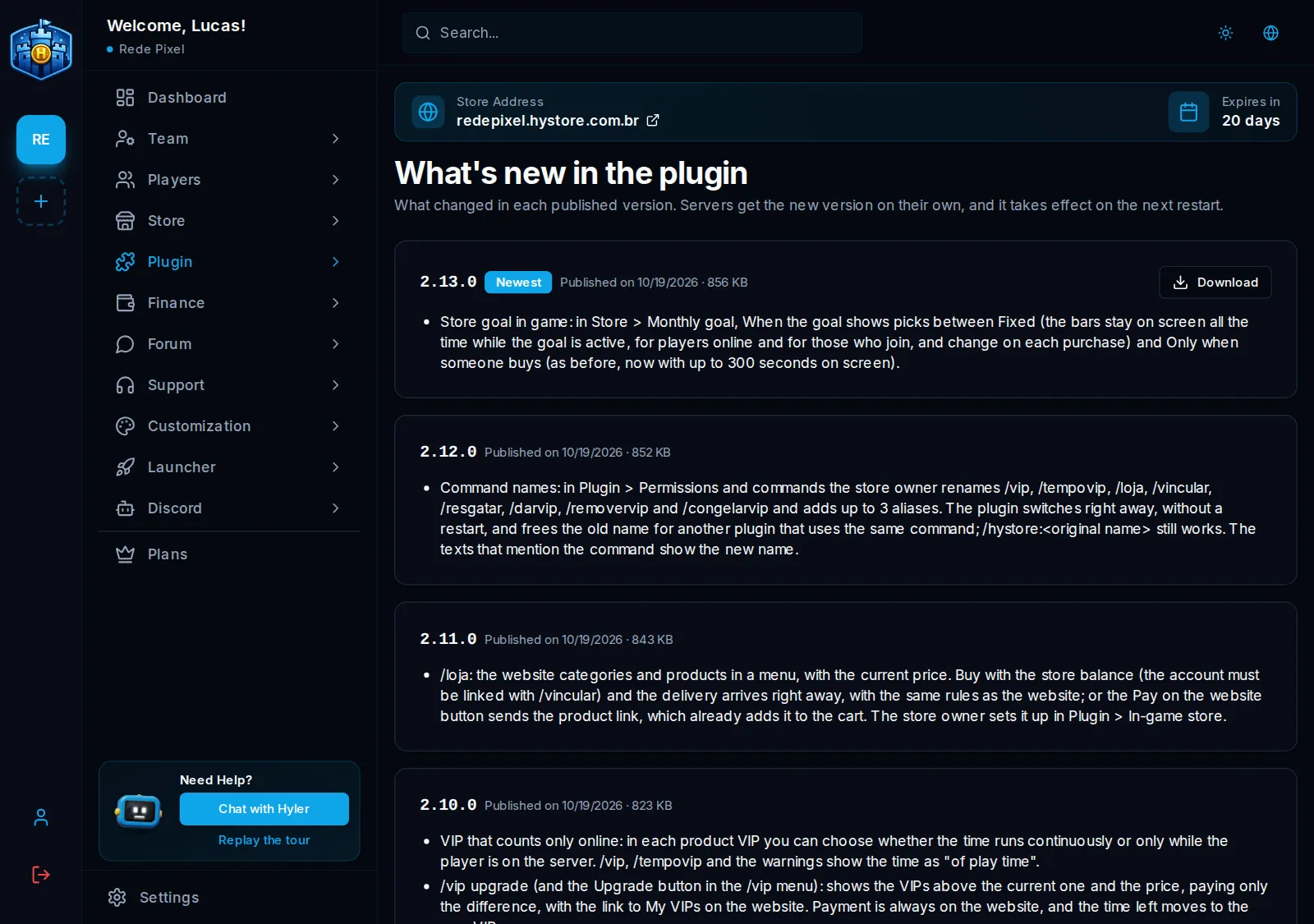
Install it once. When a new version comes out, the plugin downloads it on its own, checks the Hystore signature and the new version applies on the next server restart. In Plugin > What's new you see what changed in each version.
Check the server
In Store > Servers > View Details, the On the server card shows what the plugin reported: its version, whether it is outdated, the server software and the enabled plugins. There is a warning when LuckPerms is missing, which the product VIP may use.
Continue in Linking and commands.
