
Finance
Finance is the store's cash book: what came in, what went out and the month's result. Sales, gateway fees, refunds, the Hystore subscription and partner commissions come in on their own; the other expenses (hosting, plugins, team, marketing) you enter yourself. With everything together, the store knows whether it is making a profit.
The module is in the Finance group of the menu and must be on in Settings > Modules, on a plan that includes Finance.
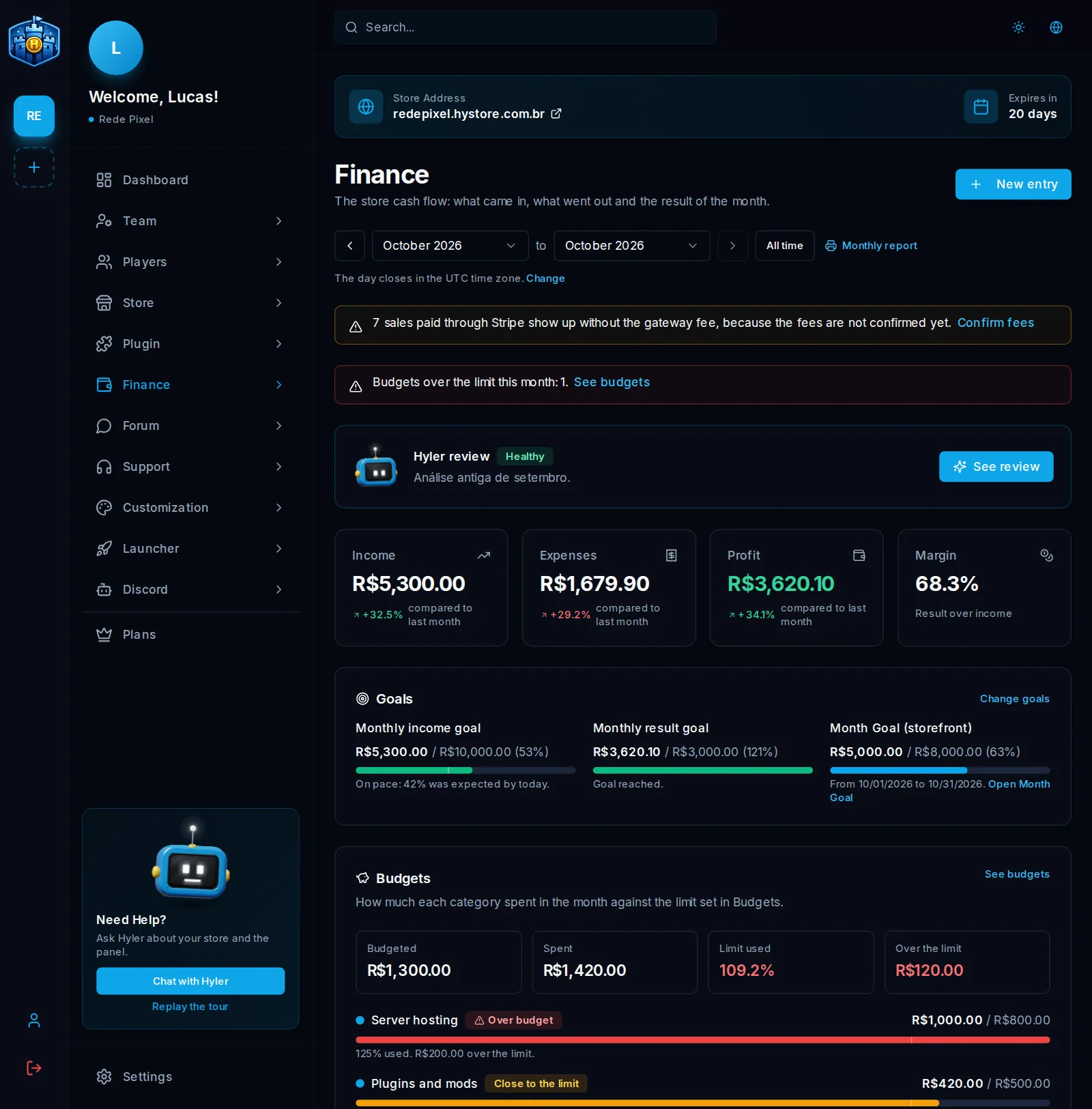
The overview
In Finance > Overview, for the chosen period:
- Income, Expenses, Profit (or Loss) and Margin, each compared with the previous period of the same length;
- the Store sales panel: what was sold, the gateway fee, the refunds and the net sales;
- the month's Goals and the Budgets card, with how much of each limit is used;
- the income and expenses chart (day by day in one month, month by month across several), expenses by category and the summary of bills to pay.
Commission paid in store credits shows on its own card, outside expenses, because it does not leave the cash.
Pick the period
At the top, pick From and To: any month from the store's creation to the current month. With a single month, the arrows move month by month. All time takes everything from the store's creation until today. The same filter shows in Entries, Reports and Reconciliation.
The day closes in the store time zone (the change link takes you to Store settings).
Monthly report and email summary
The Monthly report (or Period report) link opens the report ready to print: income, expenses, result and margin with the comparison, the sales, the categories, the period's entries and the open bills. Print or save as PDF opens the print window; to keep the file, choose Save as PDF.
In the first days of each month, the store owner gets the summary of the month that closed by email: result, income, expenses, the three heaviest categories and the overdue bills. A month with no activity sends no email. To stop it, turn off Monthly summary by email in Finance > Settings.
The Finance screens
| Screen | What it is for | Guide |
|---|---|---|
| Entries, Bills to pay, Recurring expenses, Categories | Day to day: entering expenses and income | Entries and bills |
| Budgets, Projection, Settings (goals) | Planning the month and the next ones | Budgets, goals and forecast |
| Reports, Marketing | Margin per product and server, campaign return | Reports |
| Reconciliation | The real fee the gateway charged and what is left to release | Reconciliation |
| Hyler review | A reading of your finances made by AI | Hyler review |
Who can see and change Finance depends on the role: View Finance, Manage Finance and Receive budget alerts. See Team and access roles.
