
Build the installer
Building turns your configuration into the files the player downloads. Each build counts toward your plan's monthly limit.
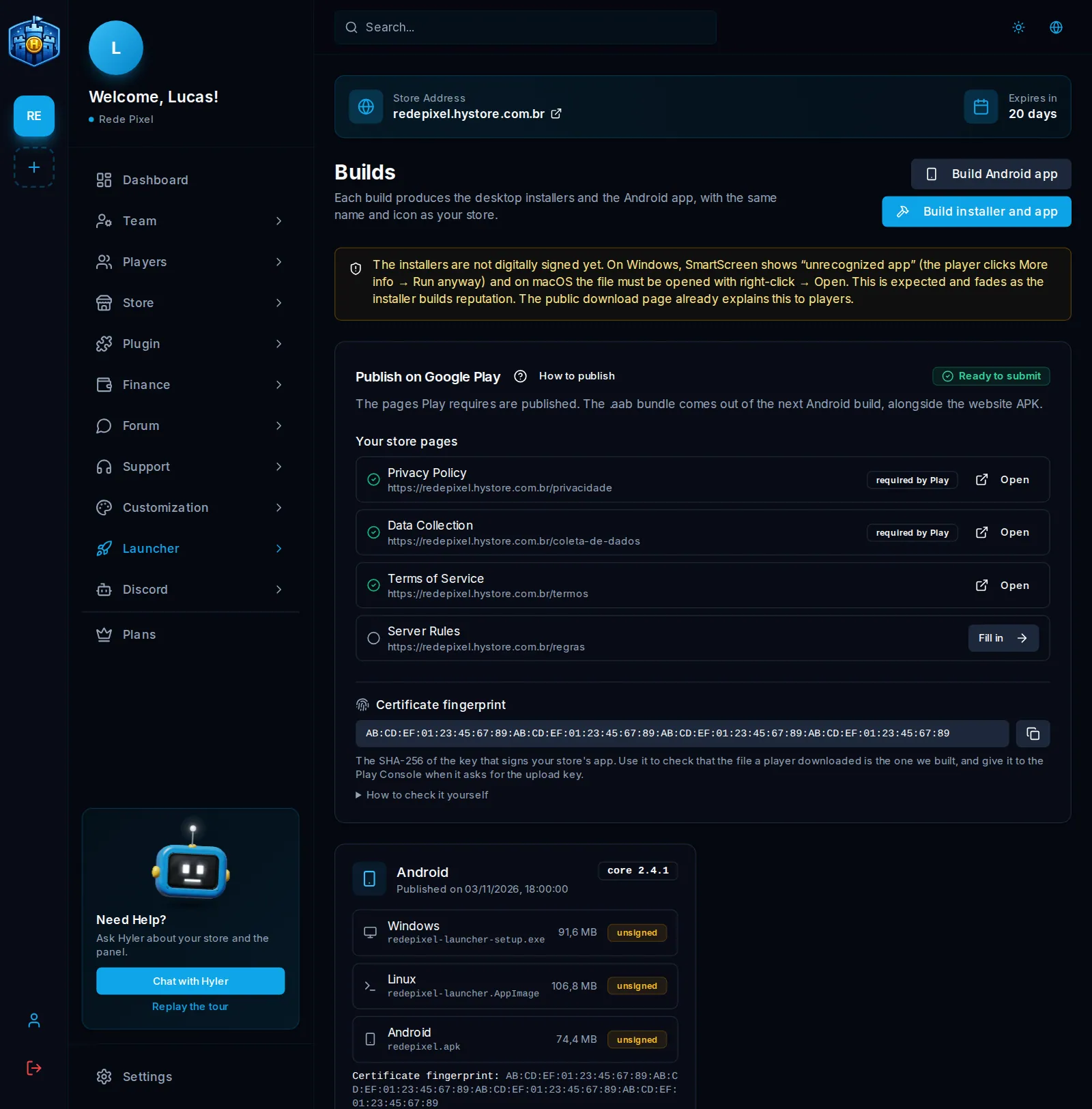
Build
- Check the Identity and the Modpacks.
- In Launcher > Builds, click Build installer.
- Follow the progress on the same screen. It takes a few minutes.
- When it finishes, the files show with the Download button.
If nothing changed since the last installer, the screen says so and does not spend a build.
How the player downloads it
Your store's /download page offers the installer for each system and highlights the right one for whoever is
opening it.
Android app
With Android available on your store, the buttons change to Build installer and app and Build Android app. First, save the phone controls: without them, the app does not build.
The result brings the APK, with Show QR code to open directly on the phone, and the Certificate fingerprint, which is for checking that the file is the one Hystore generated.
Publish on Google Play
The Publish on Google Play card shows whether everything is ready, and How to publish opens the step by step.
- Create your developer account at Google. It costs US$ 25, once, and verification takes a few days. A personal account requires a closed test before production; a company account does not.
- Publish the Privacy Policy and the Data Collection summary. Play refuses the app without these two pages. The card shows when they are published. See Settings.
- Build the Android app. With the pages ready, the Play bundle (.aab) also comes out.
- Download the
.aaband upload it through the Play Console.
Got an error?
| Message | What to do |
|---|---|
| Nothing changed since the last installer | There is nothing to build. Change something or use the current installer |
| A build is already running | Wait for it to finish |
| Waiting for a macOS machine | The macOS version needs a Mac. It joins the queue as soon as one is free, and it is not an error |
| The build stopped here | The screen shows the step where it stopped. Check that step's data and build again |
