
In-game store
/loja brings your store into the server. The player types the command and sees the
categories and products for sale, at the current price, without leaving the game.
After picking a product, they have two ways out:
- Buy with balance: pays the whole purchase with the store balance and receives it right away, with the same rules as the website (limit per player, stock, promotion, VIP and announcements);
- Pay on the website: gets the product link in the chat. The link already puts the product in the cart.
Set it up
In Plugin > In-game store:
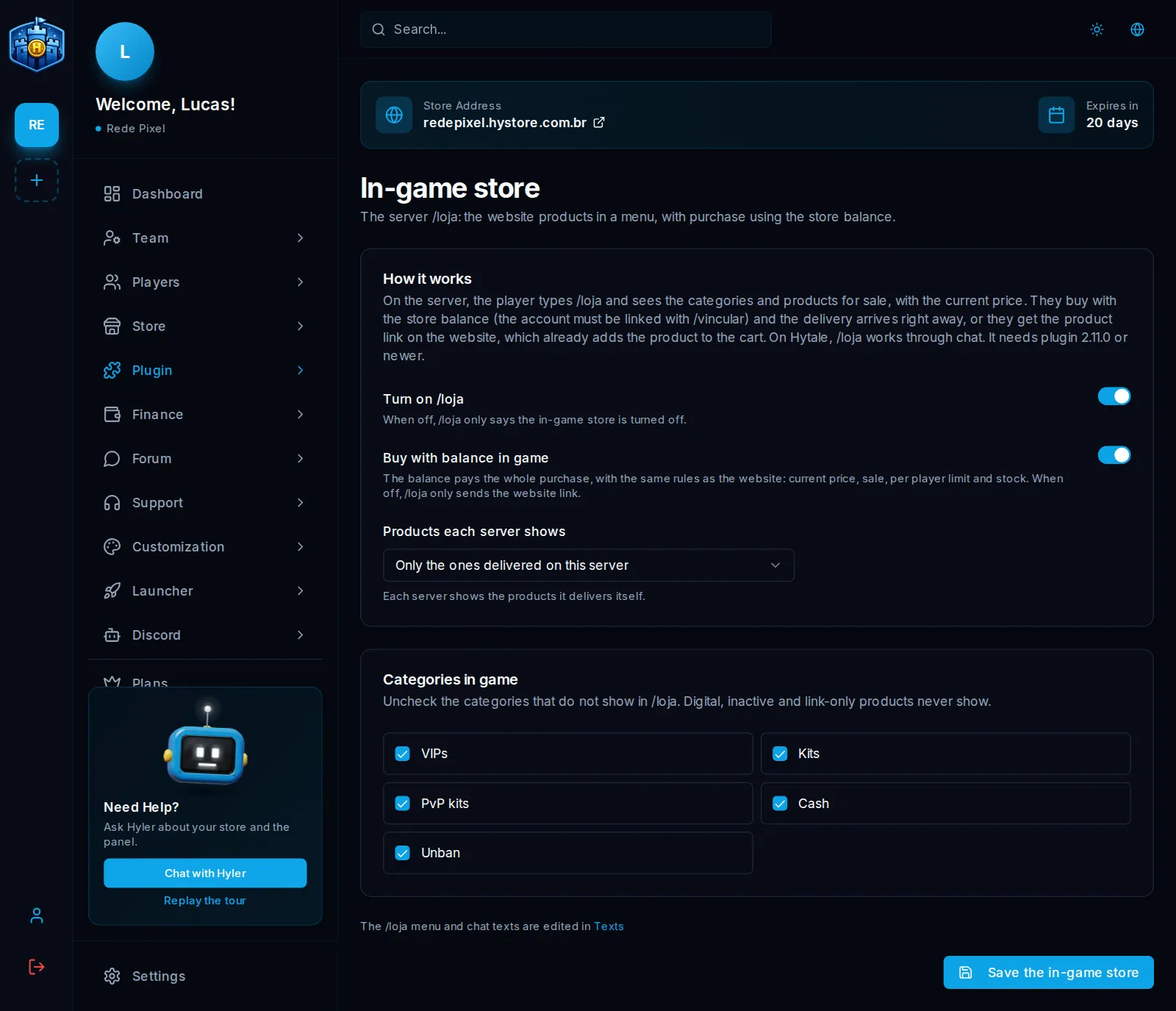
| Option | What it does |
|---|---|
| Turn on /loja | Off, /loja only says the in-game store is off |
| Buy with balance in game | Off, /loja only sends the link |
| Products each server shows | Only the ones delivered on this server, or All store products, each delivered on its own server |
| Categories in game | Uncheck the categories that should not show |
Click Save the in-game store.
Digital, inactive and link-only products never show on /loja.
Texts and command
- The menu and chat texts are in Plugin > Texts, in the In-game store group. See Announcements and texts.
- The permission is
hystore.loja, open to everyone. - If another plugin on the server already uses
/loja, use/hystore:lojaor rename the command.
