
Announcements and texts
In Plugin > Announcements you send notices to players online and pick what the store announces on its own. In Plugin > Texts, you change everything the plugin writes in game.
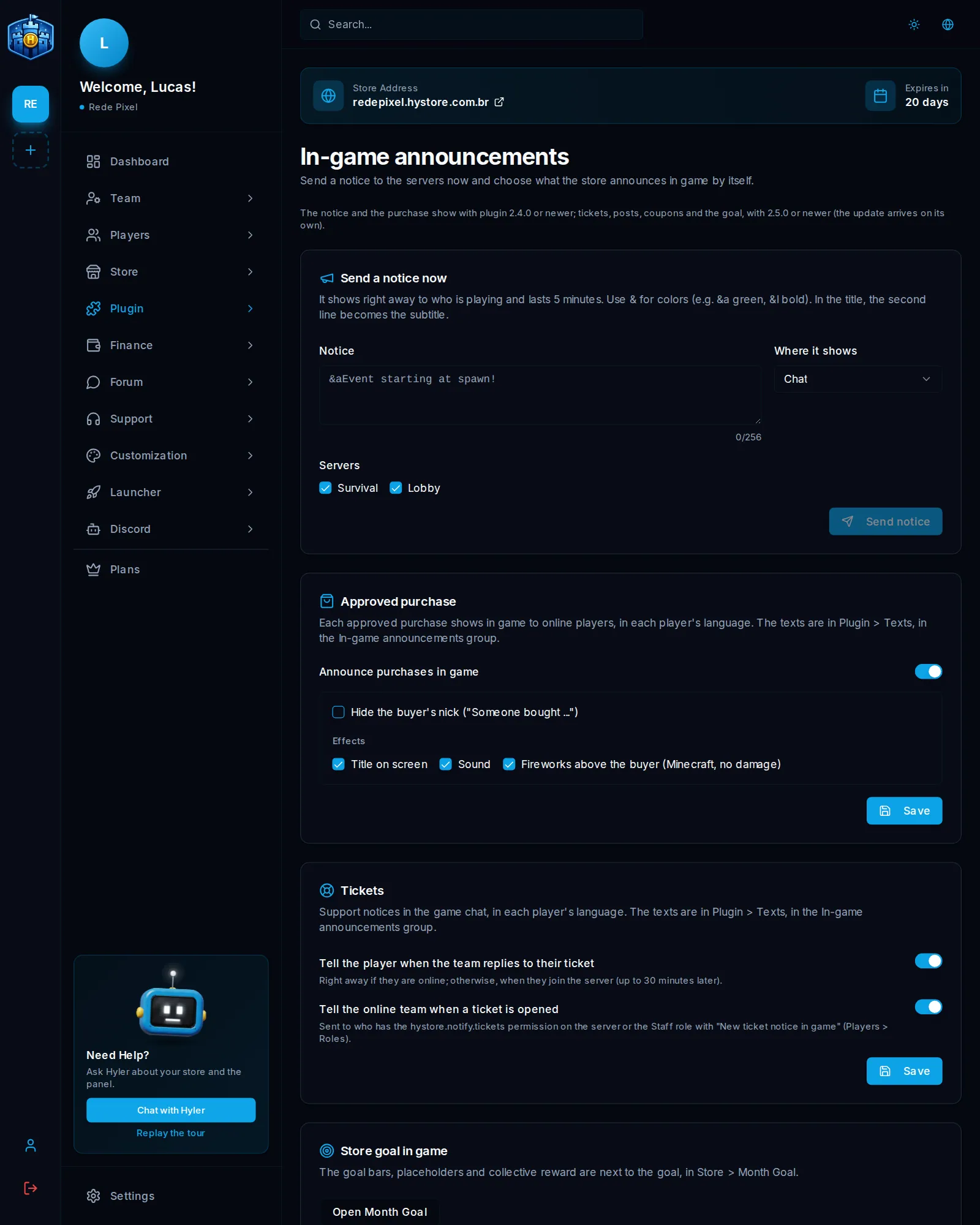
Send a notice now
- In Send a notice now, write the text in Notice, up to 256 characters.
- In Where it shows, pick Chat (up to 3 lines) or Title on screen (the first line is the title and the second, the subtitle).
- With more than one server, mark where it shows.
- Check it in the preview and click Send notice.
&aEvent starting at spawn! &7Hurry up.
Use & for colors, like &a green and &l bold, or &#RRGGBB for any color.
Announce purchases
In Approved purchase, turn on Announce purchases in game. Each approved purchase, including those paid with balance or coupon, shows in the chat of all the store's servers, with the buyer's nick and the products. It comes off.
| Option | What it does |
|---|---|
| Hide the buyer's nick | Changes the nick to "Someone" |
| Title on screen | Shows the big title to all players online |
| Sound | Plays a sound for all players online |
| Fireworks above the buyer | Minecraft only, no damage, with the player online |
Tickets
- Tell the player when the team replies to their ticket: right away, or when they join, up to 30 minutes later.
- Tell the online team when a ticket is opened: goes to anyone with
hystore.notify.ticketson the server or a team role with New ticket notice in game.
Both come on. See Tickets.
News and coupons
When saving a news post or a coupon, the Announce on the server option shows the notice in the chat. See News and Coupons.
Store goal in game
The bars, the placeholders and the collective reward are next to the goal, in Store > Month Goal. See Monthly goal.
Which plugin version do I need?
| Feature | Plugin |
|---|---|
| Notice and announced purchase | 2.4.0 or newer |
| Tickets, news, coupons and goal | 2.5.0 or newer |
The update arrives on its own. See your version in Store > Servers > View Details.
Plugin texts
In Plugin > Texts are all the texts the plugin writes in game, in the three languages. Each player sees them in their own game language.
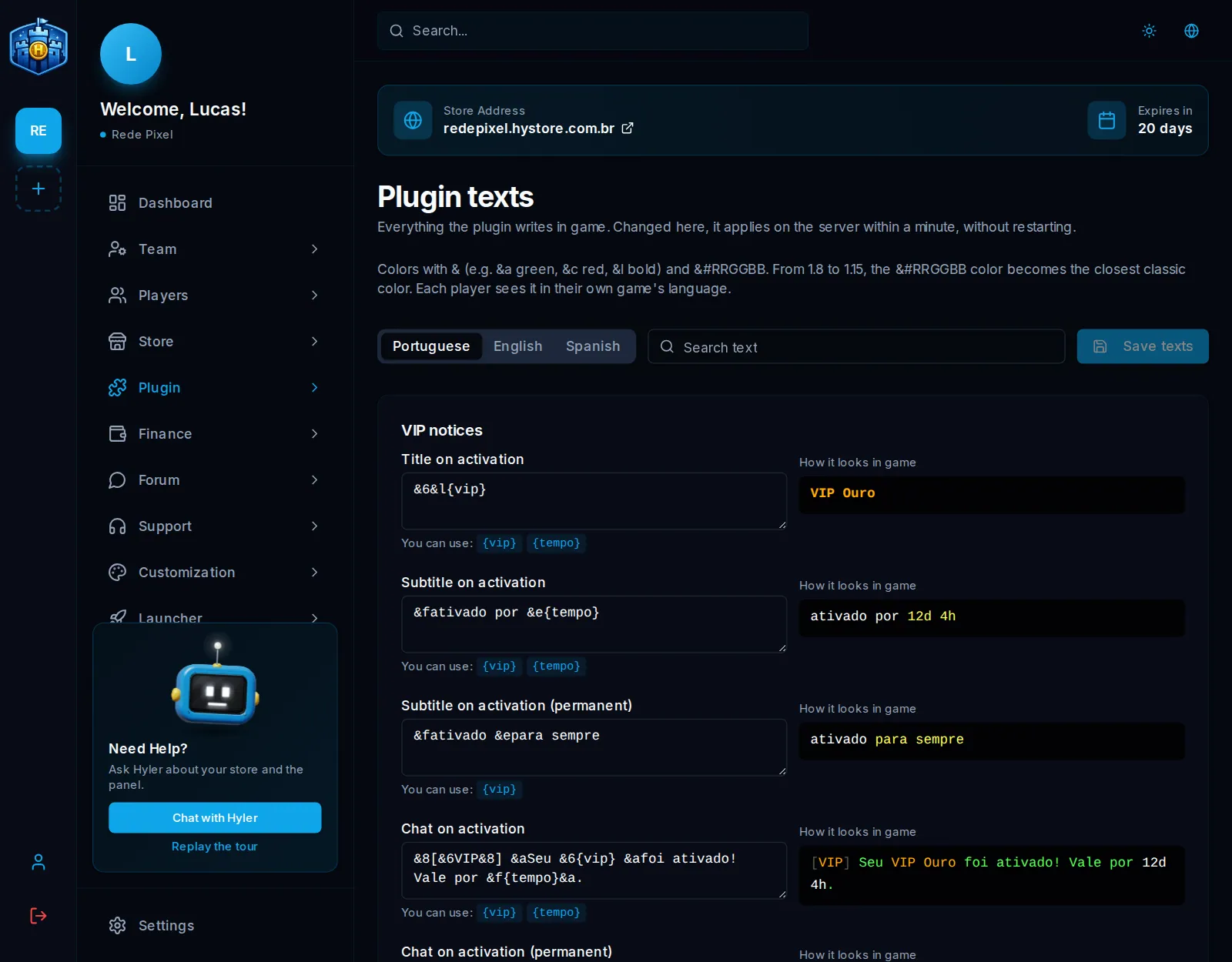
- Pick the language and use Search text to find what you want.
- Edit the text. Next to it are the markers it takes, like
{player}and{vip}, and the preview with the chat colors. - Click Save texts. It applies on the server within a minute, with no restart.
&a{player} activated &f{vip}&a for {tempo}!
Back to default undoes a text. Editing needs the Configure the plugin permission.
