
In-game delivery
When the payment is approved, the store sends the product's commands to the plugin, and it runs them in the server console, once for each unit bought.
give {player} diamond_sword 1
eco give {player} 1000
{player} becomes the buyer's nick. You define the commands in the product's delivery tab.
See Products.
How to follow it
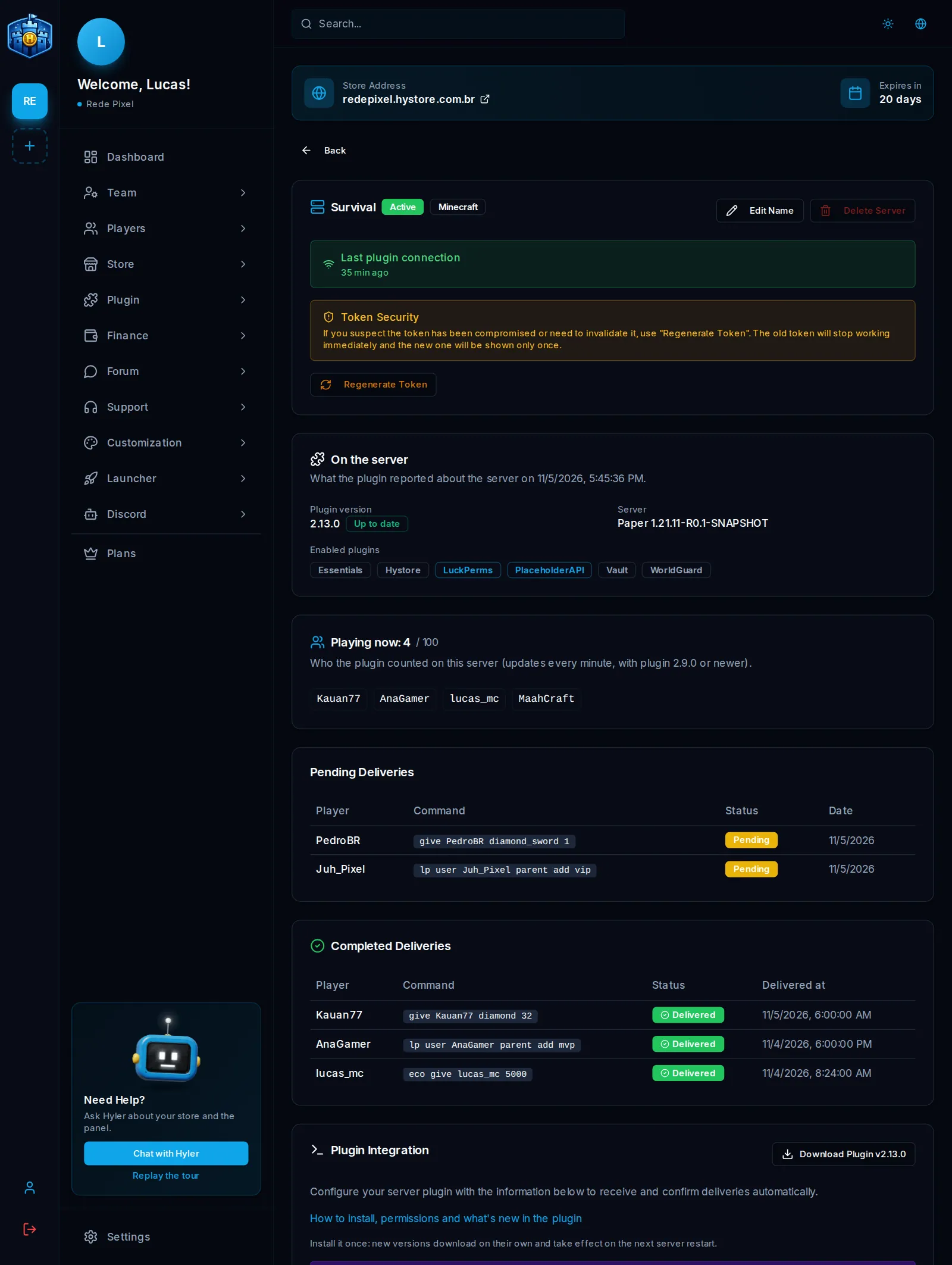
In Store > Servers > View Details:
- Pending Deliveries: what is in this server's queue;
- Completed Deliveries: what already went out, with the command and the time;
- Playing now: who is online and the server's slots, with plugin 2.9.0 or newer;
- On the server: the plugin version, the software and the enabled plugins.
| Status | What it means |
|---|---|
| Pending | In the queue, waiting for the plugin or the player |
| Sent | The plugin received it |
| Delivered | The command ran |
| Failed | The server did not recognize the command |
Offline player
By default, the delivery waits: the plugin holds it and runs the commands when the player joins the server.
To run right away even offline, like a role command, use require-online: false in
config.yml. See the options.
The purchase was paid and did not arrive
Follow this order:
- Did the player join the server? With
require-online: true, the delivery only goes out with them online. - Is the nick right? The delivery goes to the nick given at purchase. Check it in the order.
- Is the plugin connected? In Store > Servers, check the Last plugin connection and that it uses the current token.
- Did the delivery fail? In View Details, look for the delivery. Failed means a
command the server did not recognize: check the product's commands and that they use
{player}. - Is the queue stuck? If the queue does not move with the plugin connected, use
/hystorereloadin the console.
How long each player played
The plugin (2.9.0 or newer) counts every minute who is on each server:
- on the dashboard, each player's detail shows the Play time: the total, the month's, whether they are online now or when they were last seen. See Players;
- on the store, the
/jogadorespage shows who is playing and the ranking of who played most.
To hide this page, turn off Players page in Store Appearance, next to the widgets.
