
Linking and roles
Linking connects the player's Discord to their store account, so the bot knows who is who. It allows giving roles and rewards and answering tickets.
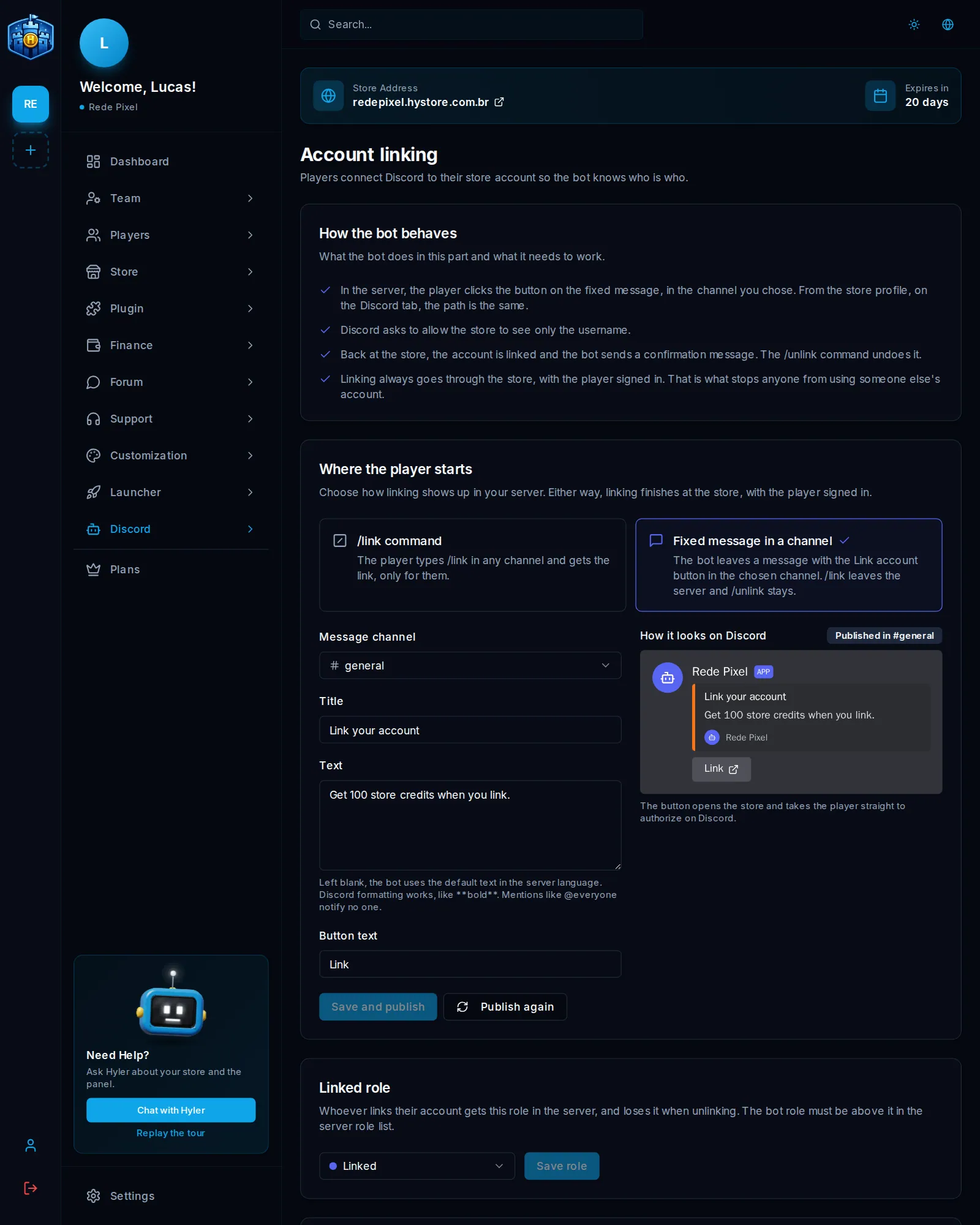
How the player links
In Discord > Account linking, under Where the player starts, pick one:
| Mode | How it works |
|---|---|
| /link command | The player types /link in any channel and gets the link, only for them |
| Fixed message in a channel | The bot leaves a message with the Link account button in the chosen channel. /link leaves the server and /unlink stays |
The player can also link on the store, in their profile, on the Discord tab.
In the fixed message, pick the Message channel and write Title, Text and Button text. Blank, the bot uses the default text in the server's language. Click Save and publish.
Title: Link your account
Text: Get 100 store credits when you link.
Button text: Link
Linked role
Whoever links gets this role on the server, and loses it when unlinking.
Linking reward
Give a gift to whoever links. Each player gets it only once, and so does each Discord account.
| Reward | What the player gets |
|---|---|
| Store credits | Up to 1000, straight to the balance |
| Gift | A product, which can be off the storefront. The bot sends a single-use code by direct message, and the delivery is the same as a purchase |
In Minimum Discord account age (days), slow down accounts created just to get the gift: an account newer than that links normally, but without the reward.
Click Save reward.
Link store roles to Discord roles
Store team roles and Discord roles can walk together. That is what lets the team answer tickets and publish news on Discord.
- In Players > Roles, edit a role.
- On the Discord card, pick the Discord role.
- Save.
Whoever has this role in the store and linked Discord gets the role on the server, and loses it when leaving the role. Every website role change, on the dashboard, by purchase, expiration or refund, changes the Discord role right away and tells the person by direct message.
Sync Discord roles, in the role list, does the opposite once: whoever already has the linked role on Discord gets the matching store role, with its permissions. See Players.
