
Tickets and forms
The bot brings the store's tickets and forms into your Discord server.
Tickets
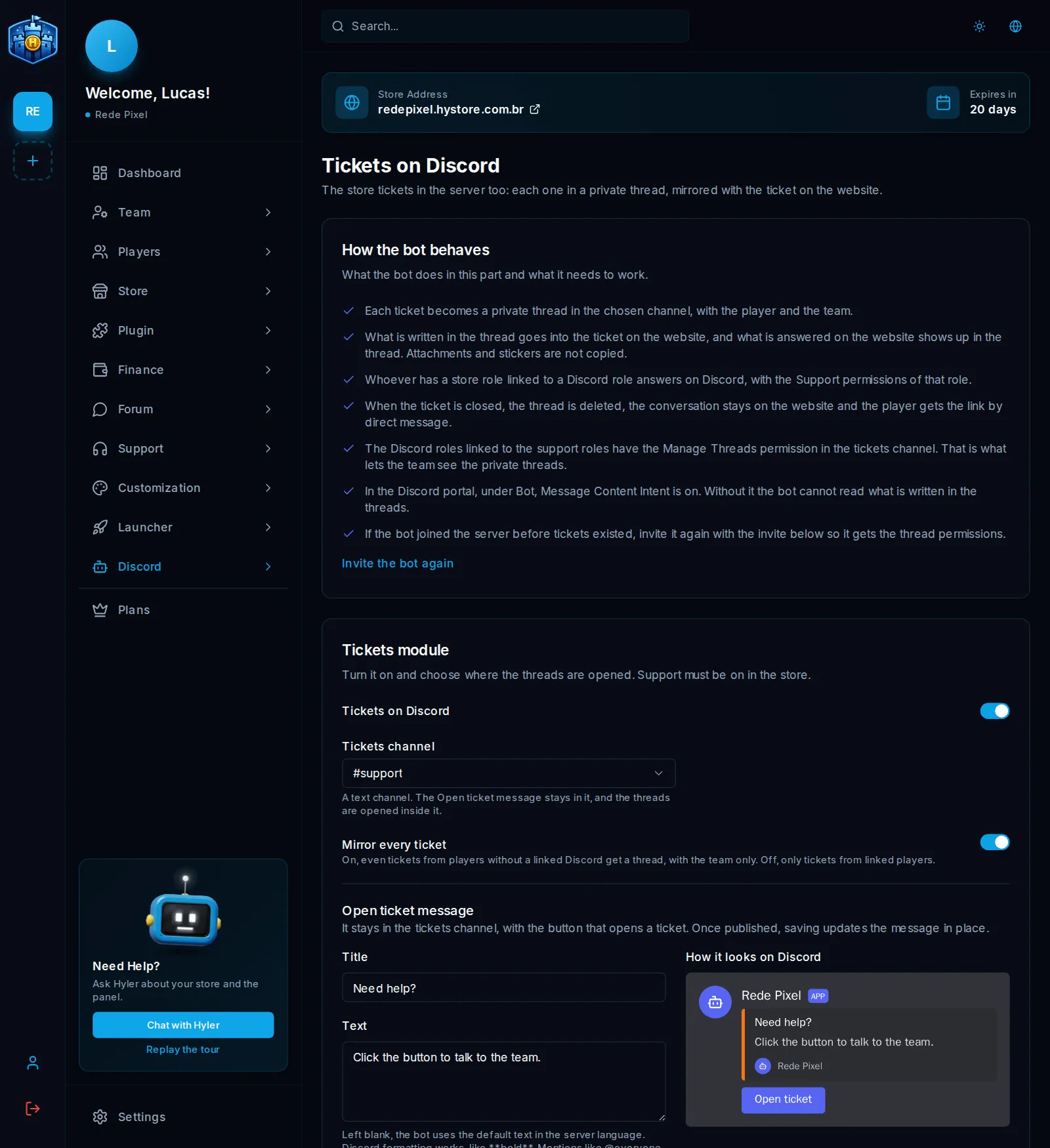
Each ticket becomes a private thread in the chosen channel, with the player and the team. What is written in the thread goes into the website ticket, and what is answered on the website shows in the thread. Attachments and stickers are not copied.
Turn it on
- In Discord > Tickets, turn on Tickets on Discord. Support must be on in the store.
- Pick the Tickets channel, a text channel.
- Write the Open ticket message: Title, Text and Button text. Blank, it uses the default text.
- Click Save tickets and Publish message.
Title: Need help?
Text: Click the button to talk to the team.
Button text: Open ticket
Mirror every ticket, on, creates a thread even for those who did not link Discord, only with the team. Off, only tickets from linked players.
Who answers
Whoever has a store role linked to a Discord role answers on Discord, with that role's Support permissions. The store owner answers by connecting their own account.
When the ticket closes, the thread is deleted, the conversation stays on the website and the player gets the link by direct message.
Forms
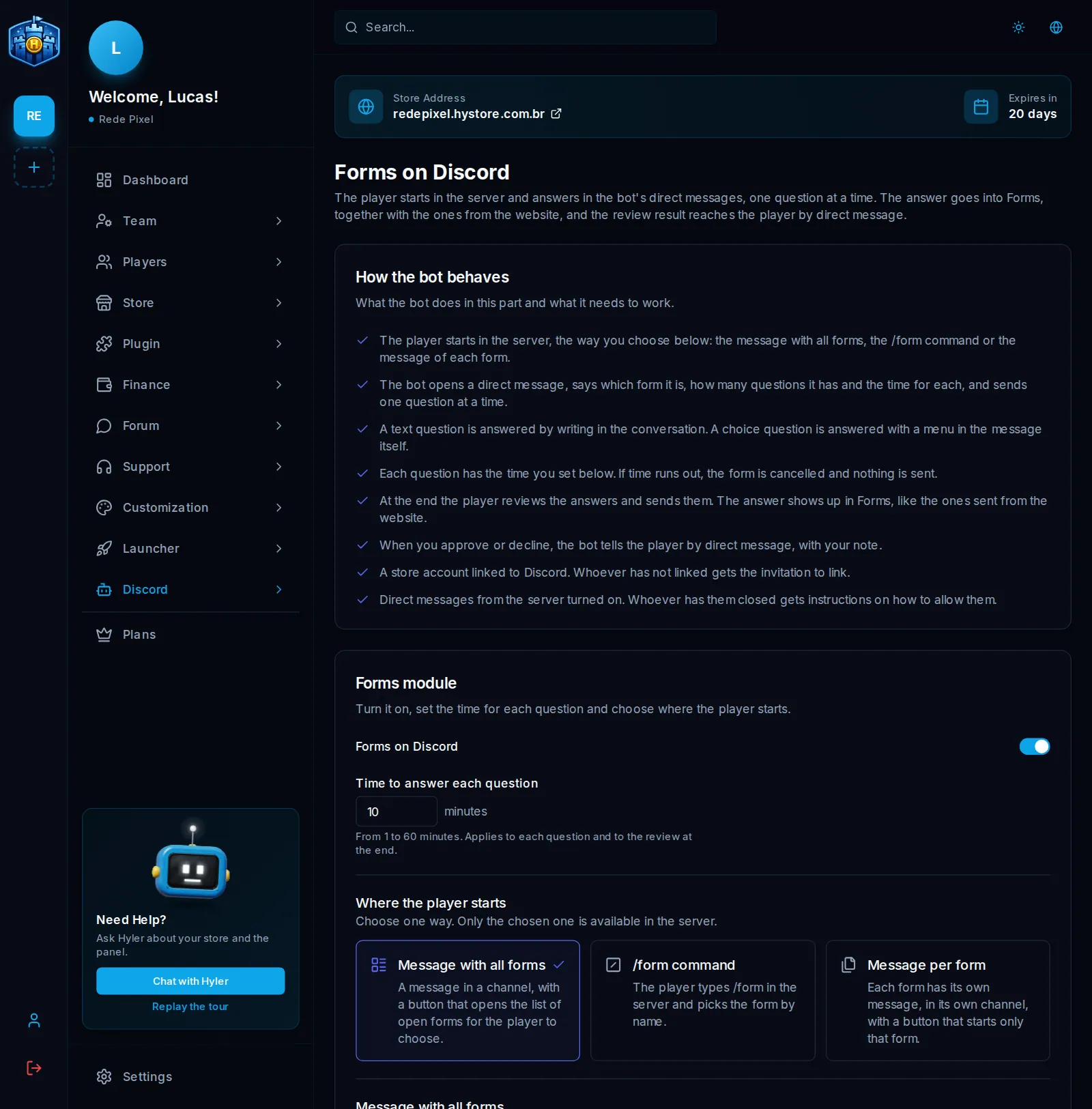
The player starts on the server and answers in the bot's direct messages, one question at a time. The answer goes into Forms, next to those from the website, and the result arrives by direct message.
Turn it on
- Create at least one form in Support > Forms.
- In Discord > Forms, turn on Forms on Discord.
- In Time to answer each question, pick from 1 to 60 minutes. It applies to each question and to the review at the end.
- In Where the player starts, pick a path. Only the chosen one is available on the server.
| Path | How it works |
|---|---|
| Message with all forms | A message in a channel, with a button that opens the list of live forms |
| /form command | The player types /form and picks by name |
| Message per form | Each form has its own message, in its own channel, with a button that starts only that one |
