
Hyler review
In the Hyler review, Hyler reads your Finance numbers and points out patterns, risks and where you can organize and save. The numbers (income, expenses, profit, margin) are calculated by the system; Hyler writes the reading of them.
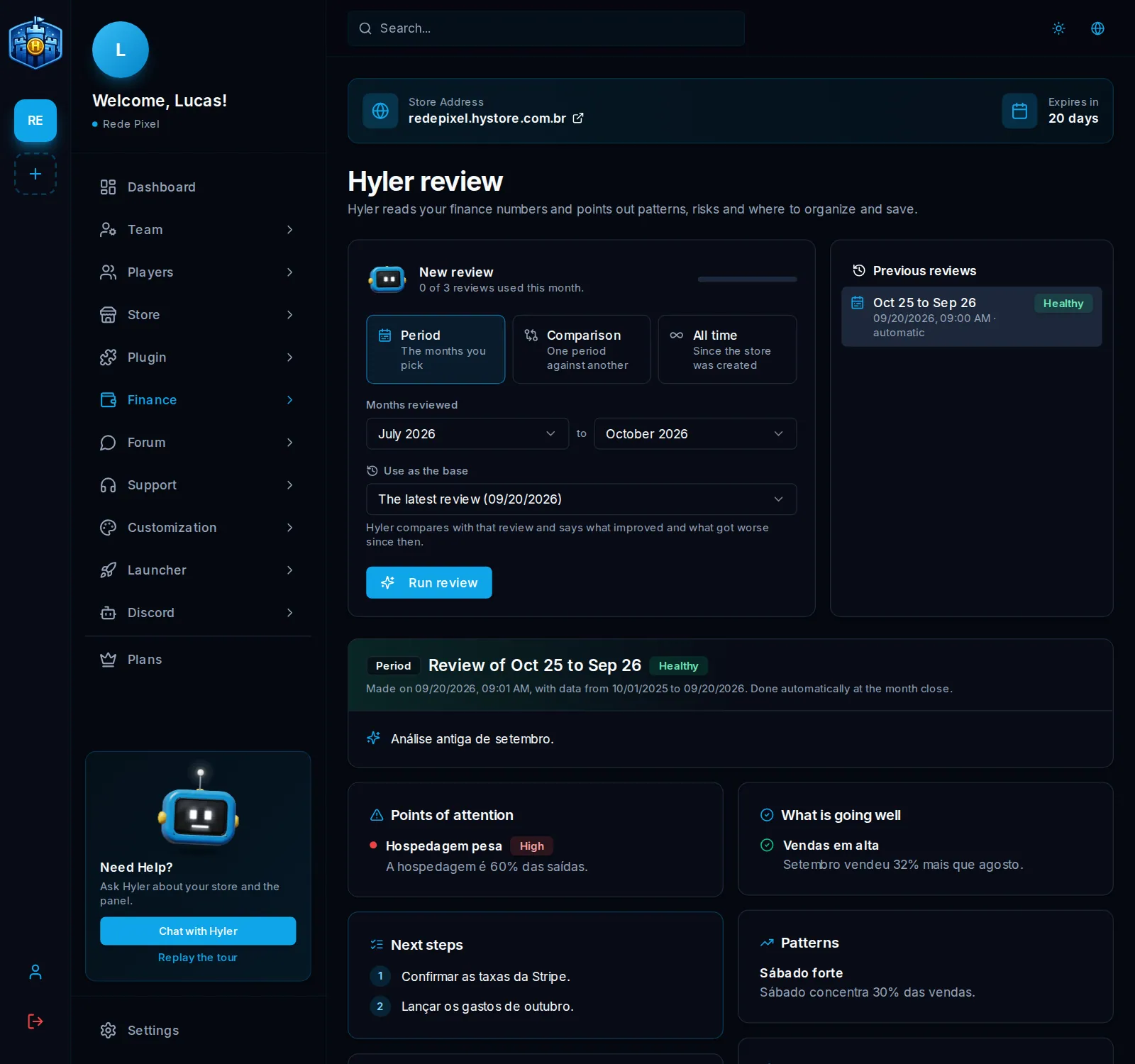
Run a review
- Open Finance > Hyler review.
- On the New review card, pick the type:
- Period: the months you choose (the last 12 by default);
- Comparison: a base period against another, which must start after the base ends (the store needs at least two months);
- All time: since the store was created.
- In Use as the base, pick the earlier review Hyler uses to say what got better and worse since then: the latest (the default), another from the list, or none.
- Click Run review.
A review takes a few seconds to a few minutes and keeps going even if you leave the screen.
What the review has
- At the top: income, expenses, profit (or loss) and margin of the period, with the monthly average, and a summary with the store's health.
- In a comparison, the table of both periods with the change of each number.
- With a review as the base, what changed since that review: before and now, and the points that got better, worse or stayed.
- Points of attention, Next steps, opportunities with the estimated gain per month, What is going well, Patterns (strongest months and weekdays, best-selling products, fastest-growing expenses) and tips to organize your finances.
Earlier reviews are in Previous reviews, with the period and the health of each one.
Limit and automatic review
Each review counts toward the plan's monthly limit, whatever the type; one that does not finish does not count. The screen shows how many were used this month.
In Finance > Settings, the Automatic Hyler review switch runs a review on its own in the first days of each month (it also counts toward the limit).
