
Budgets, goals and forecast
Three tools for planning: Budgets (a spending limit per category), Goals (how much to bring in and how much to keep in the month) and Projection (what should come in and go out in the next months).
Budgets
In Finance > Budgets:
- Click New budget.
- Pick an expense category, the monthly limit and at what percentage you want to be warned (80 by default).
- Save.
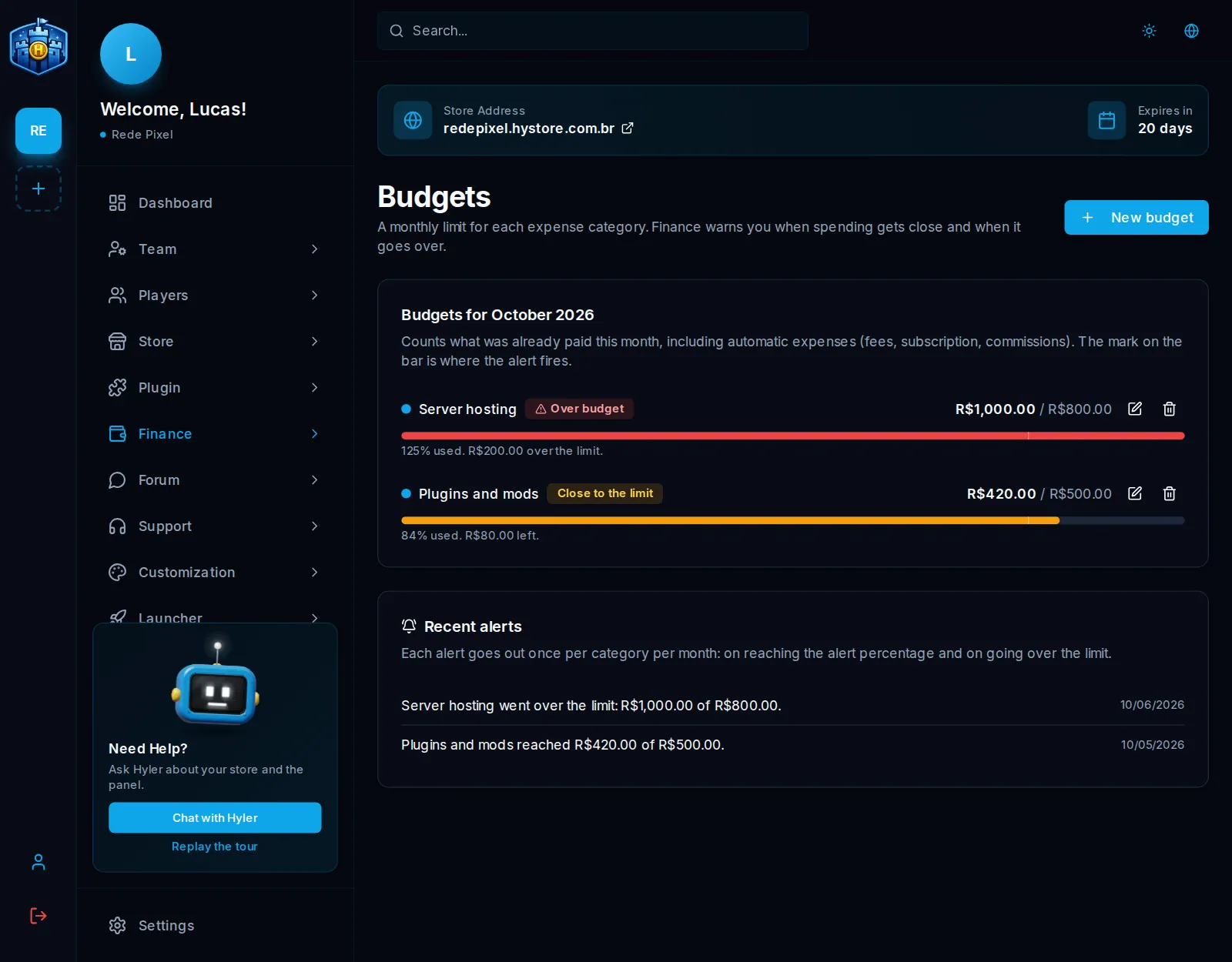
The limit applies to every month, until you change or remove it. The screen shows, for the current month, how much of each budget is already spent, with the Close to the limit and Over budget badges; the mark on the bar shows where the warning fires. It counts what is already paid in the month, including automatic expenses (fees, subscription, commissions) in their category.
Budget alerts
Each alert goes out once per category and per month: when it reaches the warning percentage and when it passes the limit. It shows in Recent alerts and, with the Budget alerts by email and Discord switch on in Finance > Settings, it goes:
- by email to the store owner and to whoever has the Receive budget alerts permission in their role (dashboard team or server staff);
- as a Discord direct message to whoever has their account linked, with the Discord bot connected.
Monthly goals
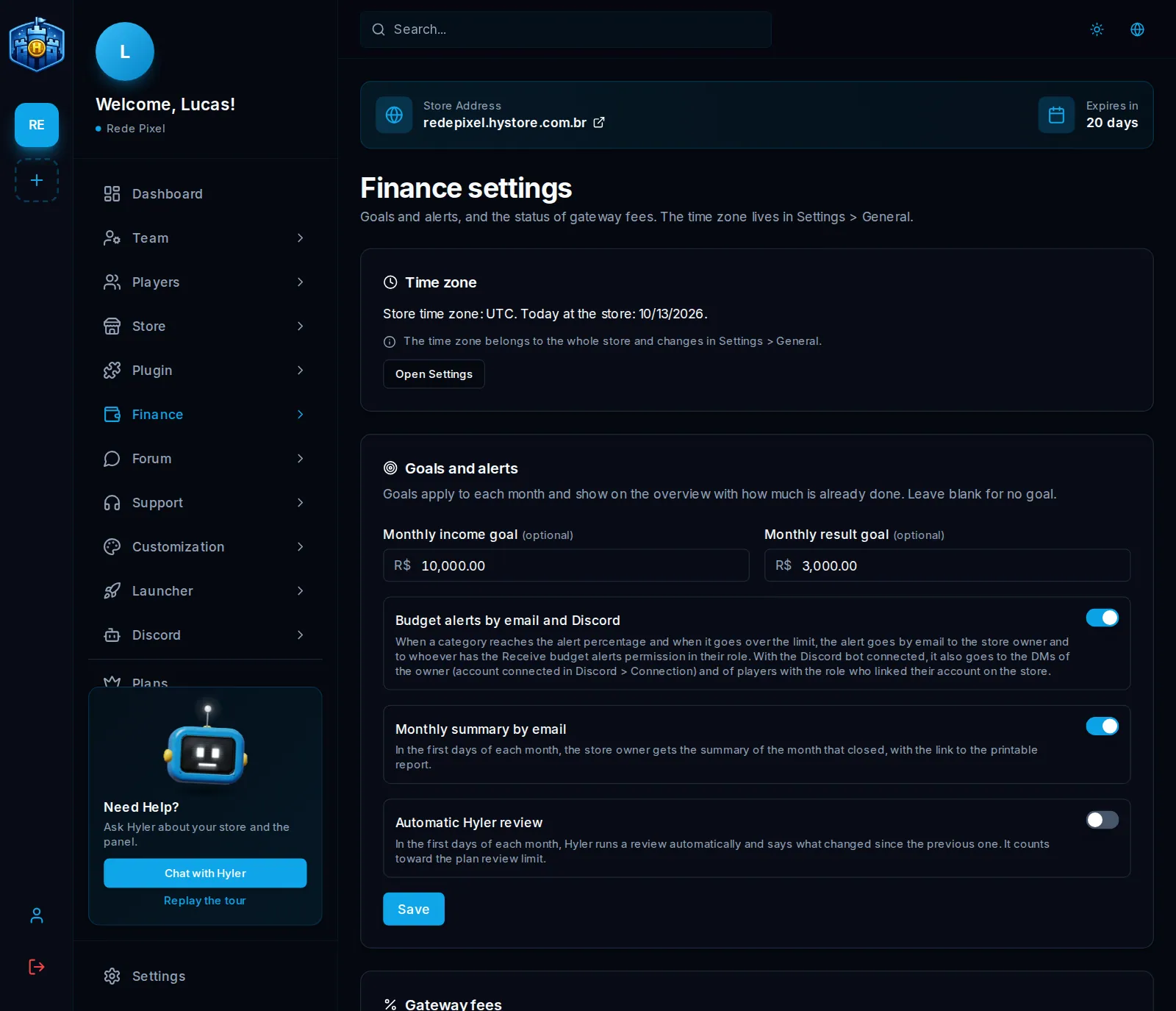
In Finance > Settings, on the Goals and alerts card, enter the Monthly income goal and the Monthly result goal and click Save. Leave them blank for no goal.
Goals show on the overview with how much was already done. The mark on the bar is what is expected by today, in proportion to the days of the month: below it, the screen warns that the store is behind pace.
Projection
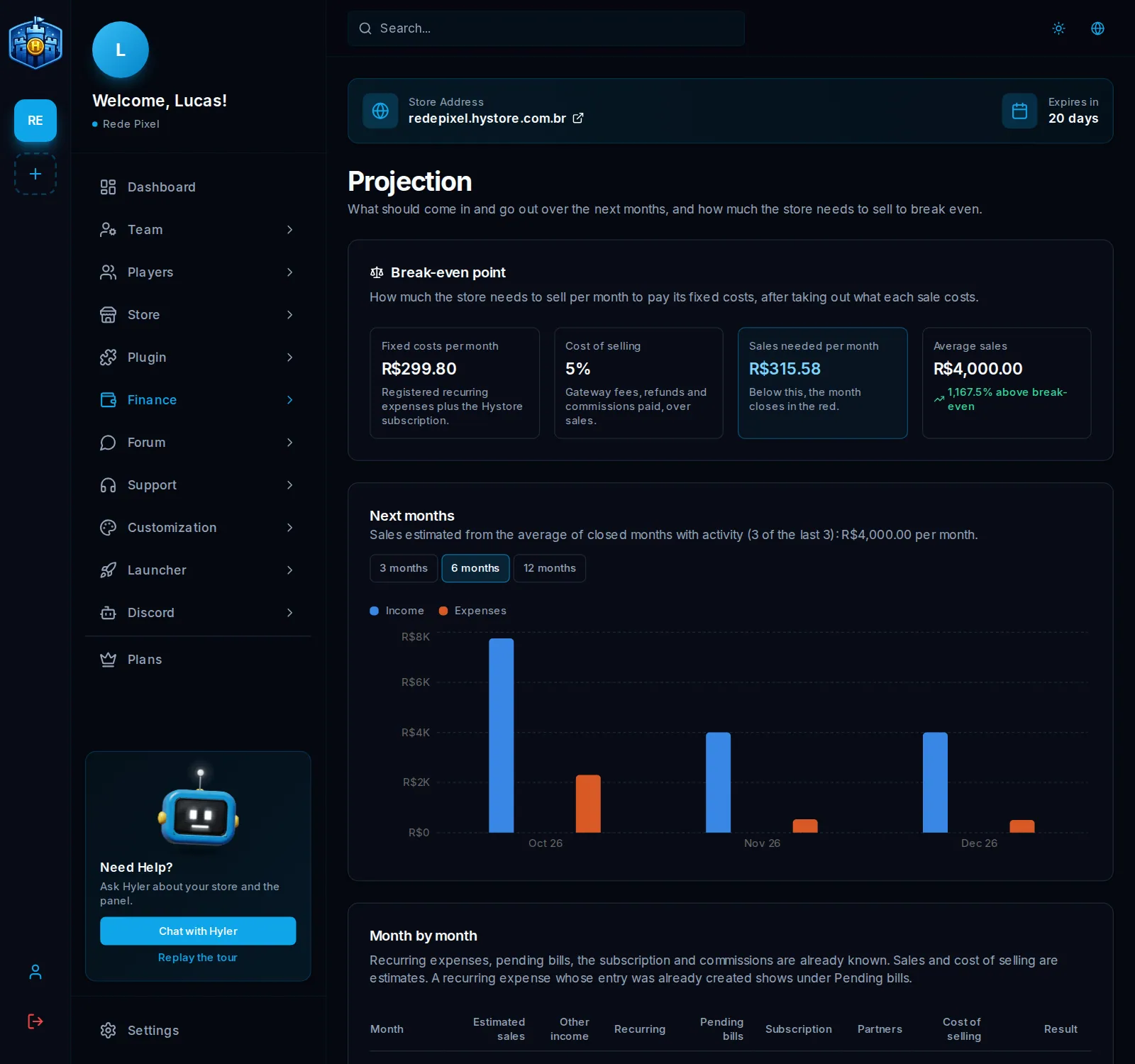
Finance > Projection shows what should come in and go out in the next 3, 6 or 12 months:
- what is already known comes separately: recurring expenses, pending bills, the Hystore subscription and partner commissions;
- sales are an estimate: they repeat the average of the last closed months with activity, and the cost of selling (fees, refunds and commissions) follows the same proportion;
- the current month shows what already came in and went out, plus the estimate for the days left.
Break-even point
The Break-even point card shows the fixed costs per month (recurring expenses and the Hystore subscription), the cost of selling and how much the store needs to sell per month not to close in the red, compared with average sales.
fixed costs: R$ 900.00 per month
cost of selling: 8% of sales
needs to sell: 900.00 ÷ (1 − 0.08) = R$ 978.26 per month
With no recurring expenses added, fixed costs use the average of the entered expenses. A projection is not a guarantee: sales can vary.
