
Reports
The reports answer two questions: which product and which server bring the most result, and how much came back from each campaign. They are in Finance > Reports and Finance > Marketing.
Margin by product
In Finance > Reports, Products tab, each product sold in the period shows with Sold, Received, Fee, Cost per unit, Cost and Margin.
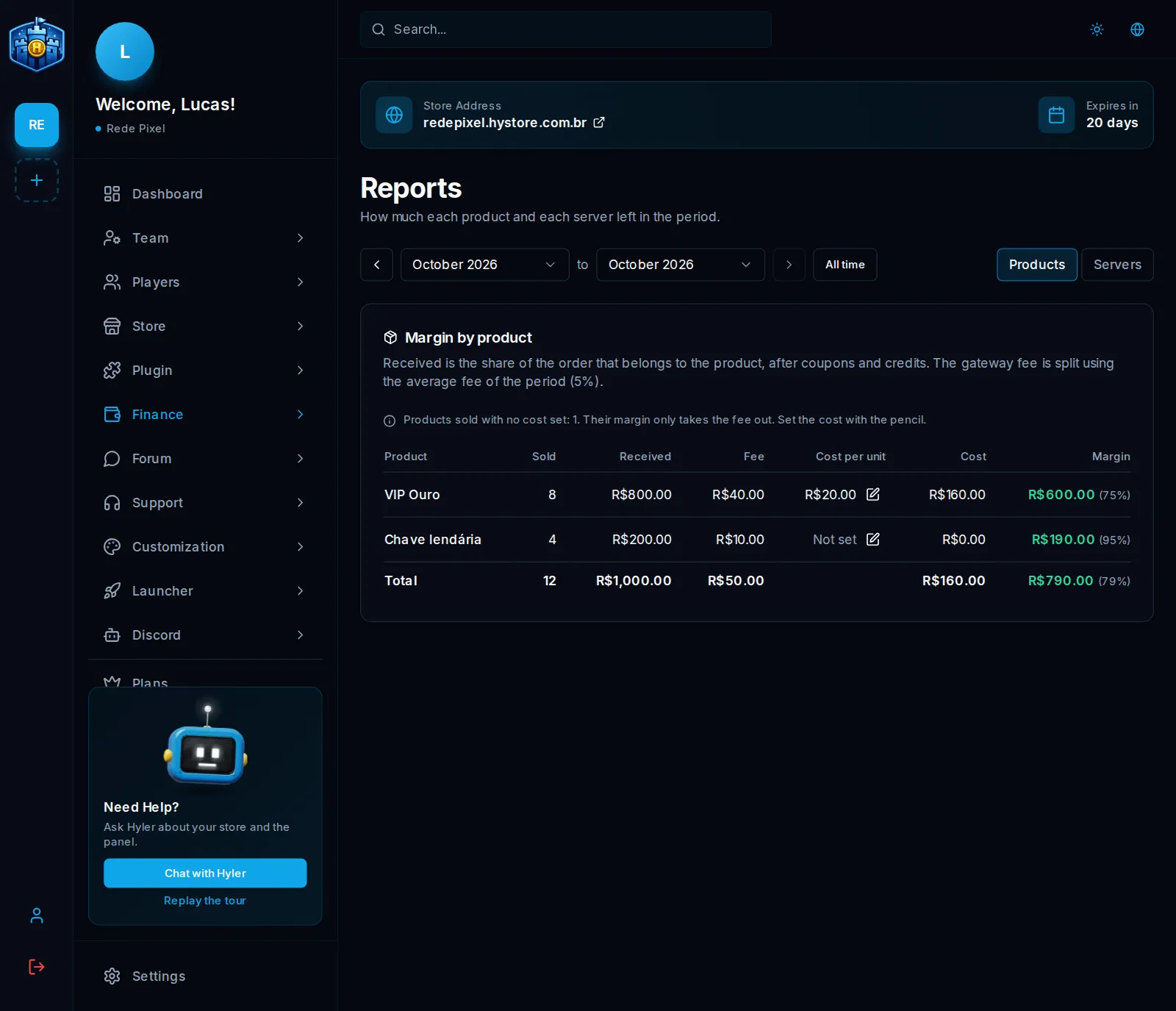
- Received is the part of the order that belonged to the product, with coupon and credits already taken off.
- The gateway Fee is split by the period's average fee, because it is charged per order.
- Cost is what you enter with the pencil, per unit: license, key, payout to the creator. If delivering costs nothing, enter zero.
- Margin is received minus fee and cost, as an amount and a percentage.
A product with no cost entered shows as Not set, and its margin only takes off the fee.
Gold VIP: 10 sold, received R$ 499.00
fee: R$ 24.85   cost: R$ 0.00 per unit
margin: 499.00 − 24.85 − 0.00 = R$ 474.15 (95%)
Result by server
On the Servers tab, each store server shows with the Received from sales of its products, the fee and the cost of those products, Other income and the expenses linked to it, and the Result.
For an expense to count on a server, pick the server in the Server field when entering it or when adding a recurring expense. A product counts on the server chosen in its own form. Whatever belongs to no server goes on the No server line. The Hystore subscription, partner commissions and refunds belong to the whole store and do not enter this report.
Marketing
In Finance > Marketing you measure the return of each campaign.
- Click New campaign.
- Give it a name, pick the channel (ads, content creator, server list, giveaway, community or other), the start, the end (optional) and the coupons that measure its sales.
- Save.
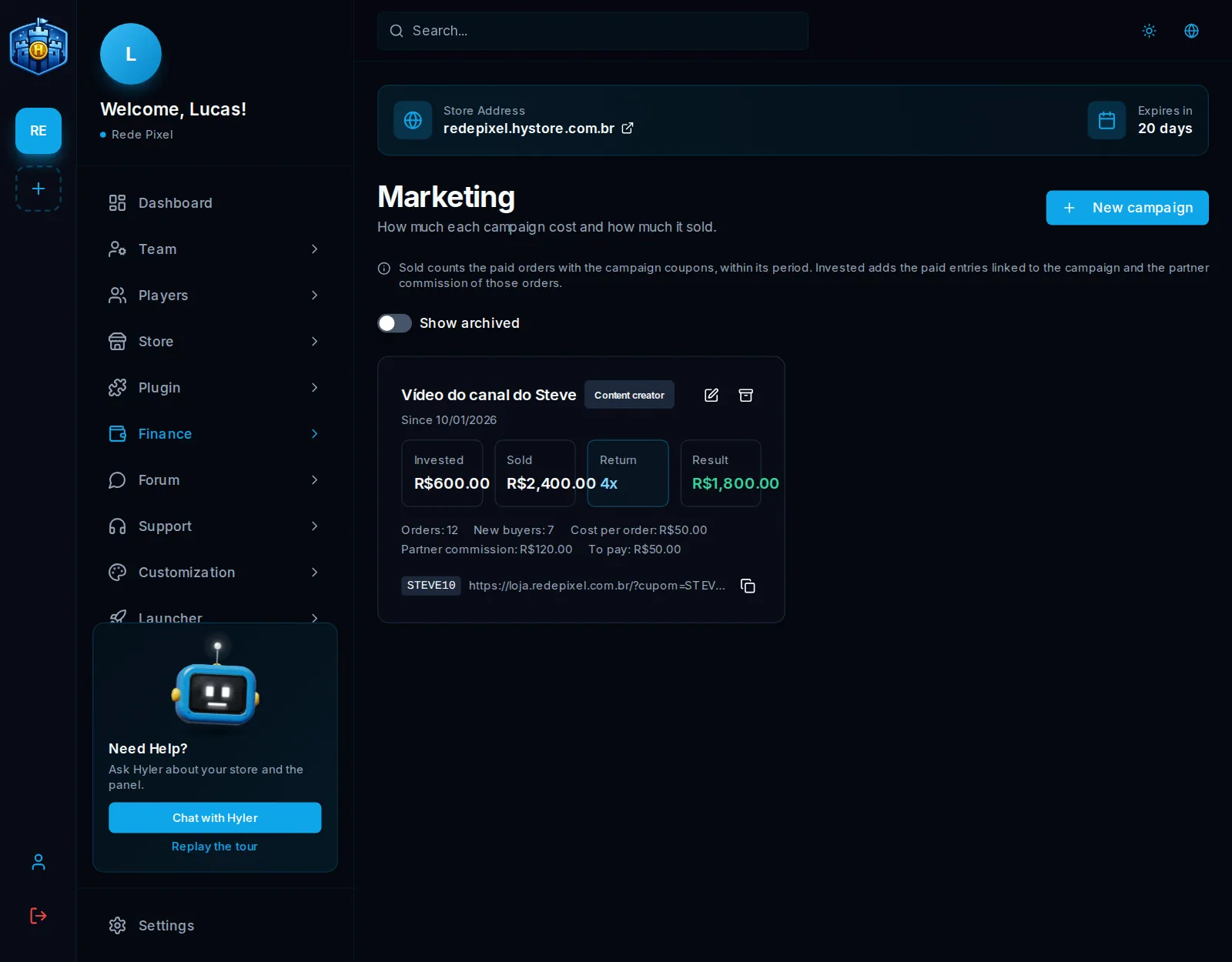
- Sold counts the orders paid with those coupons, within the period.
- Invested adds the paid entries linked to the campaign (pick the campaign in the Campaign field when entering) and the partner commission of those orders.
- Return shows how much came back for each unit of money invested, with orders, new buyers and cost per order.
Each coupon belongs to one campaign only: use a coupon of its own for each
campaign. Next to each coupon is the store link with ?cupom= and the copy
button; whoever opens that link gets the code taken to the cart.
https://redepixel.hystore.com.br/?cupom=TIOCRAFT
Archive removes the campaign from the choices without deleting the numbers.
