
PicPay
PicPay takes Pix, card and PicPay wallet balance, with the money going to your PicPay business account.
You need an account on the PicPay Business Panel (Painel de Negócios).
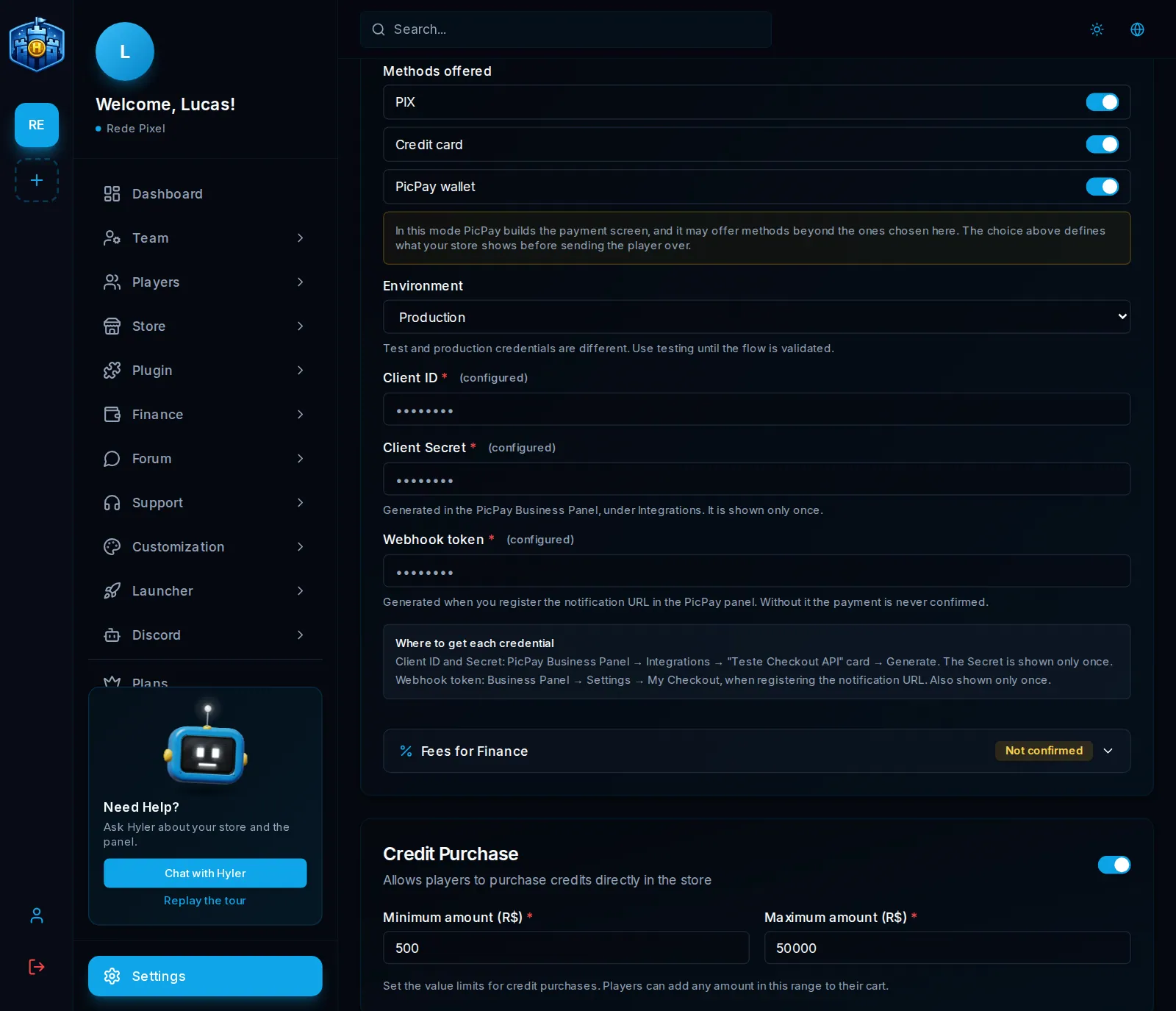
Where to get each credential
| Dashboard field | Where it is on PicPay |
|---|---|
| Client ID and Client Secret | Business Panel > Integrations > Checkout API test card > Generate. The Secret shows only once: keep it |
| Webhook token | Business Panel > Settings > My Checkout, when you register the notification URL the dashboard shows. It also shows only once |
| Merchant CNPJ and Transparent Token | Requested from PicPay support. Only needed for cards in Transparent mode |
How the player pays
In How the player pays, pick the mode:
- Transparent: on your store: the player pays without leaving the store. For the card to show in this mode, the CNPJ and the Transparent Token are required; without them, Pix and the wallet keep working.
- Standard: on the PicPay page: the player goes to the PicPay page and comes back.
- Lightbox: window over your store: the payment opens in a window on top of the store.
In Methods offered, pick at least one among card, PicPay wallet and Pix.
Fees
PicPay does not report the fee of each sale, so Finance always uses the table you confirm. PicPay does not publish the Pix fee for Checkout: the field comes blank for you to fill in. See Gateway fees.
