
Gateway fees
Every gateway charges a fee per sale. For Finance to show the real profit, it takes that fee off each sale. Fees are in Settings > Payments, on the card of each active gateway, in the Fees for Finance block (click to open it).
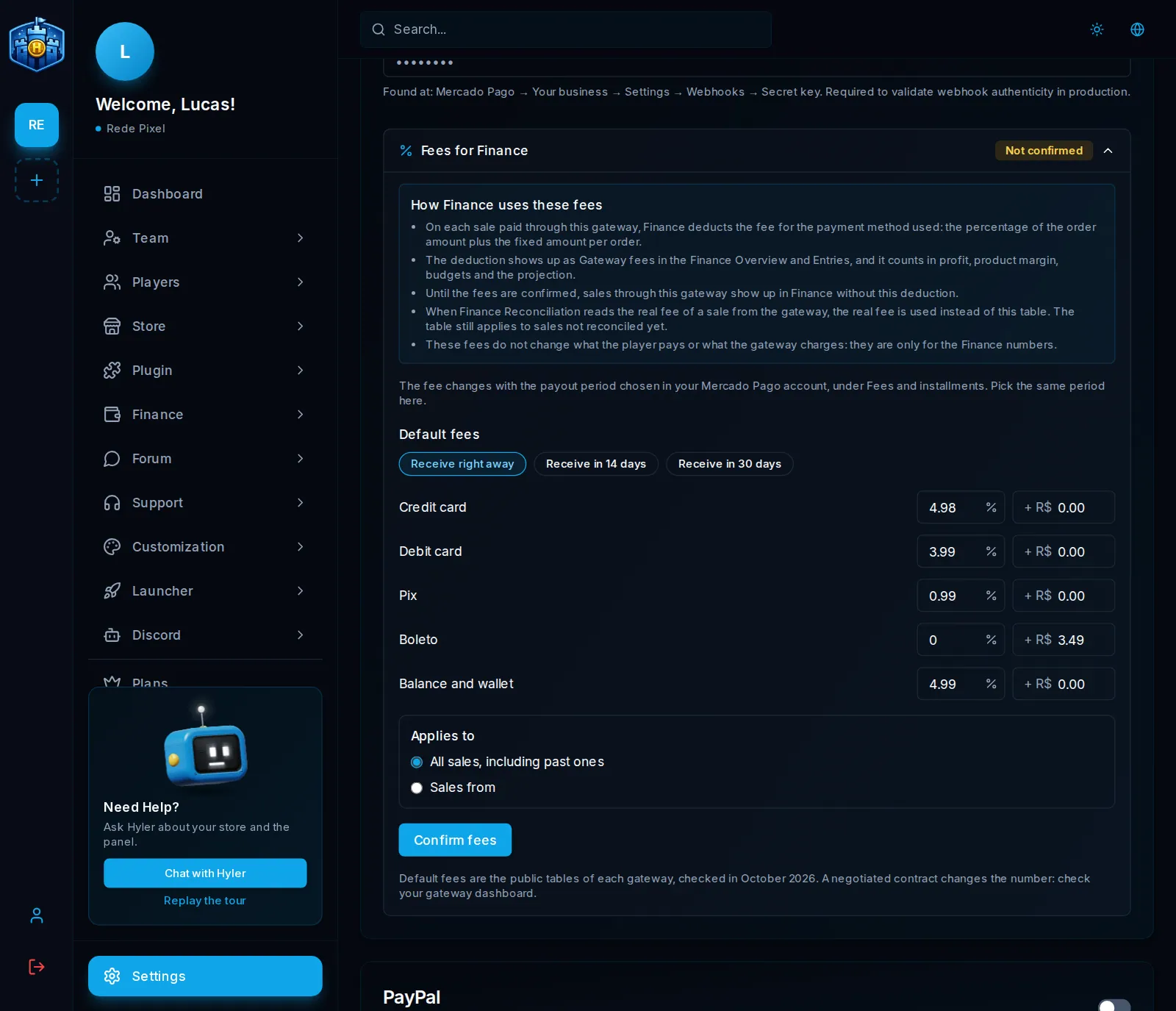
Confirm the fees
- Open Fees for Finance on the gateway's card.
- Each gateway comes filled with its public table, in the store currency. For each payment method there is the percentage on the order amount and the fixed amount per order.
- Check it against your contract. A negotiated contract changes the numbers.
- In Applies to, pick:
- All sales, including past ones: fixes the history too;
- Sales from: keeps the old fee on sales before the date.
- Click Confirm fees.
Until you confirm, the block shows Not confirmed, that gateway's sales show in Finance with no fee taken off, and the Finance overview warns you, with a link that opens the right gateway.
Example
A R$ 50.00 credit card sale, with a fee of 4.98% + R$ 0.00:
fee = 50.00 × 4.98% + 0.00 = 2.49
Finance counts: revenue 50.00, gateway fee 2.49
The discount shows as Gateway fees on the overview and in Entries, and goes into the profit, the margin per product, the budgets and the forecast.
What changes per gateway
| Gateway | What to know |
|---|---|
| Mercado Pago | Pick the same payout term as your account (Receive right away, in 14 days or in 30 days), found under fees and installments on the Mercado Pago site |
| Stripe | The checkout does not say whether the sale was by card, Pix or boleto: all use the card fee |
| PayPal | The real fee of each sale comes from reconciliation, when available |
| PicPay | Does not report the fee of each sale: always uses the table. The Pix fee comes blank for you to fill in |
A gateway that is off
A gateway that is off and never sold does not show the block and appears only as Inactive in Finance > Settings. If it already sold, the block stays on the card, because the old sales still use the table, and it says how many sales have no fee.
