Wiki
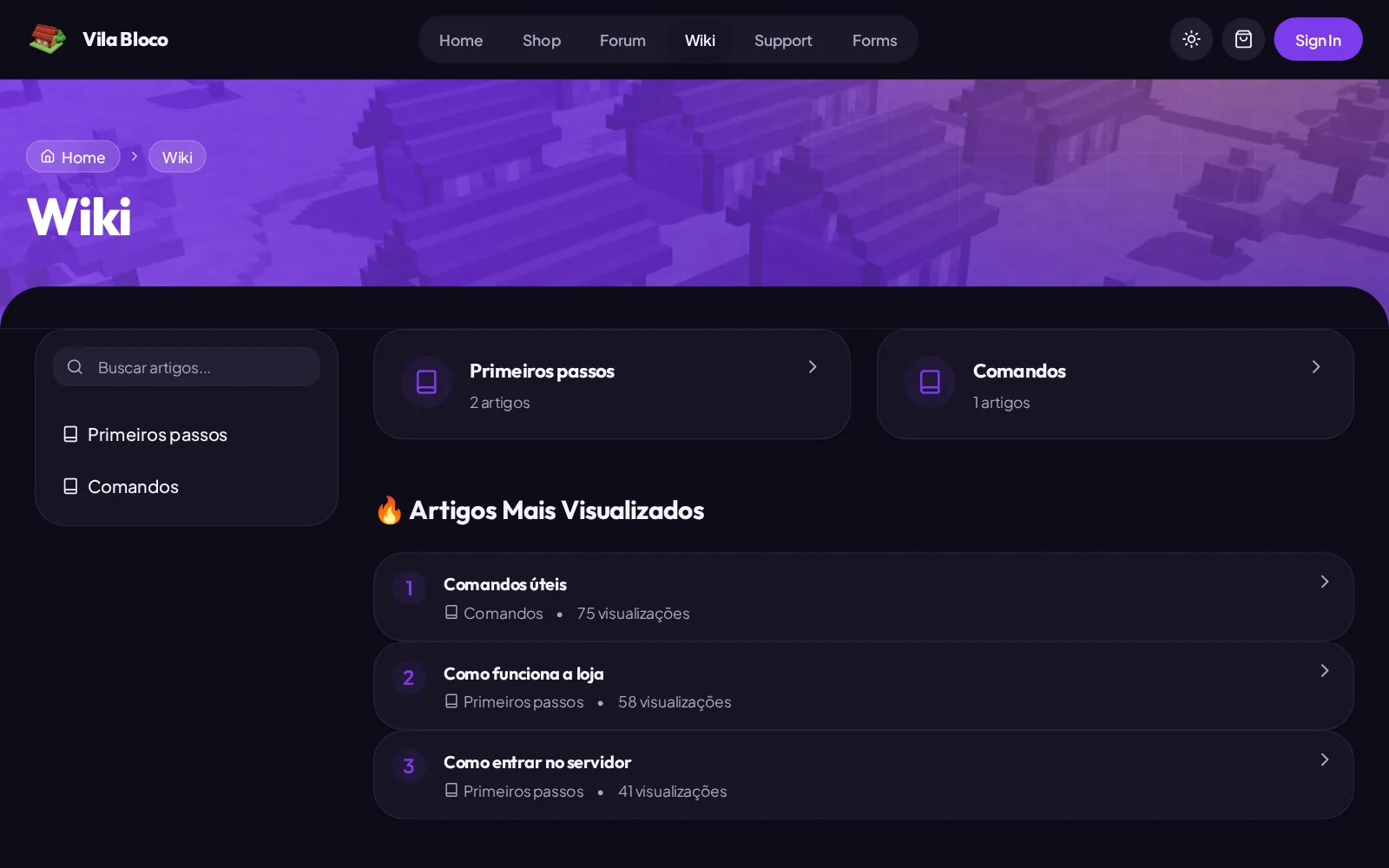
The wiki is your store's help center: how to join the server, the commands, the rules.
Readers find the answer without opening a ticket. It lives in Support > Wiki, and
players read it at /wiki.
How it is organized
Pages live inside categories, so start with those. An example:
Getting started
  How to join the server    (featured)
  Basic commands
  How to protect your land
Rules
  Server rules              (featured)
Create a category
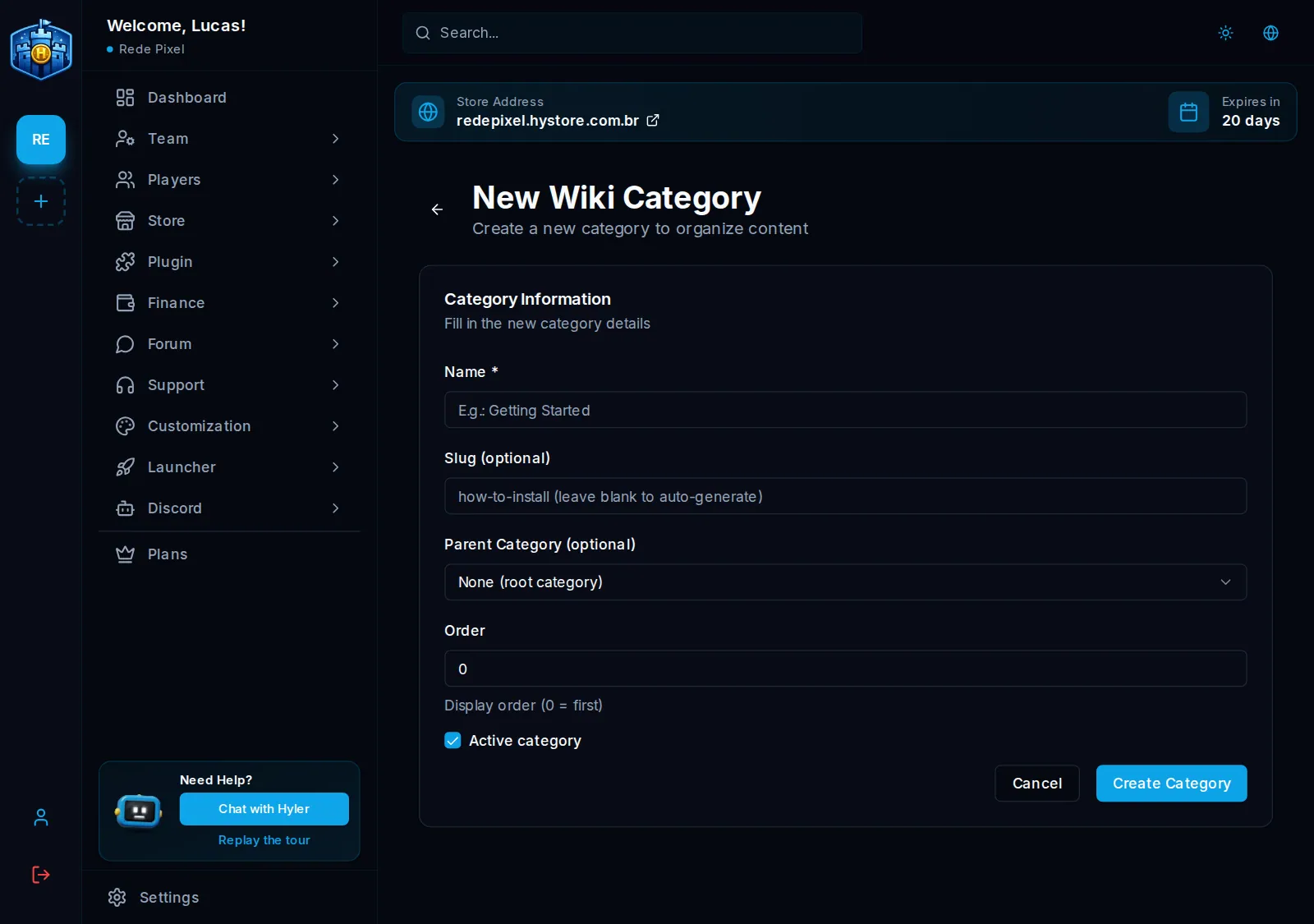
- In Support > Wiki, click New Category.
- Fill in the Name. The Slug is the part of the address; blank, it comes from the name.
- If it sits inside another one, pick the Parent Category. Without it, this is a main category.
- In Order, 0 is the first in the list.
- Click Create Category.
Create a page
- Click New Page.
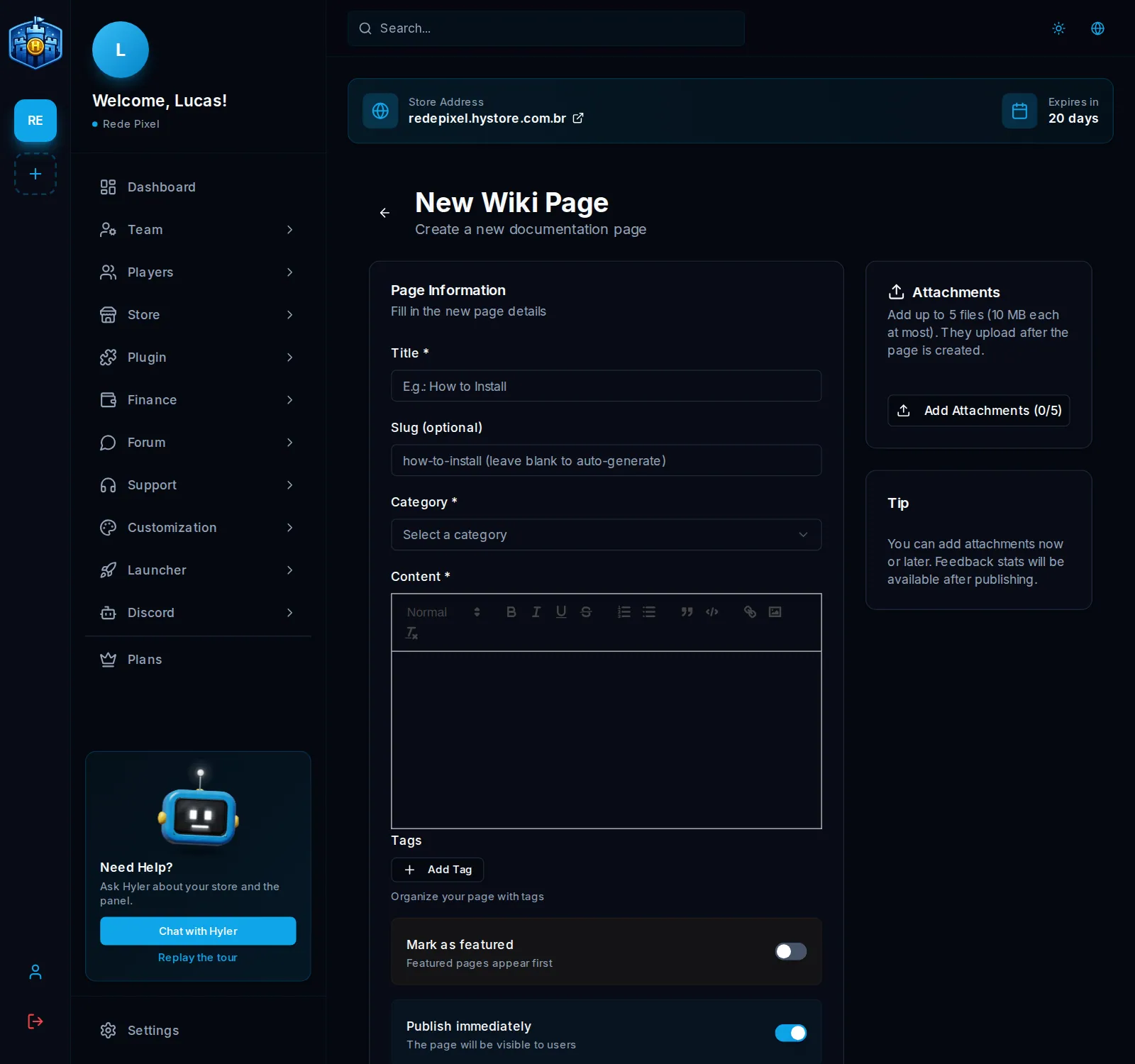
- Fill in Title, Category and Content. The editor takes headings, lists, links and images.
- Under Tags, mark the ones that fit the subject.
- If you want, add Attachments: up to 5 files of up to 10 MB each. They upload after the page is created.
- Turn on Mark as featured so the page comes first in its category.
- With Publish immediately off, it stays as a draft, invisible to players.
- Click Create Page.
Look after the pages
On the wiki screen, each page shows its Views, how many times it was edited and the readers' rating: they mark whether it was helpful.
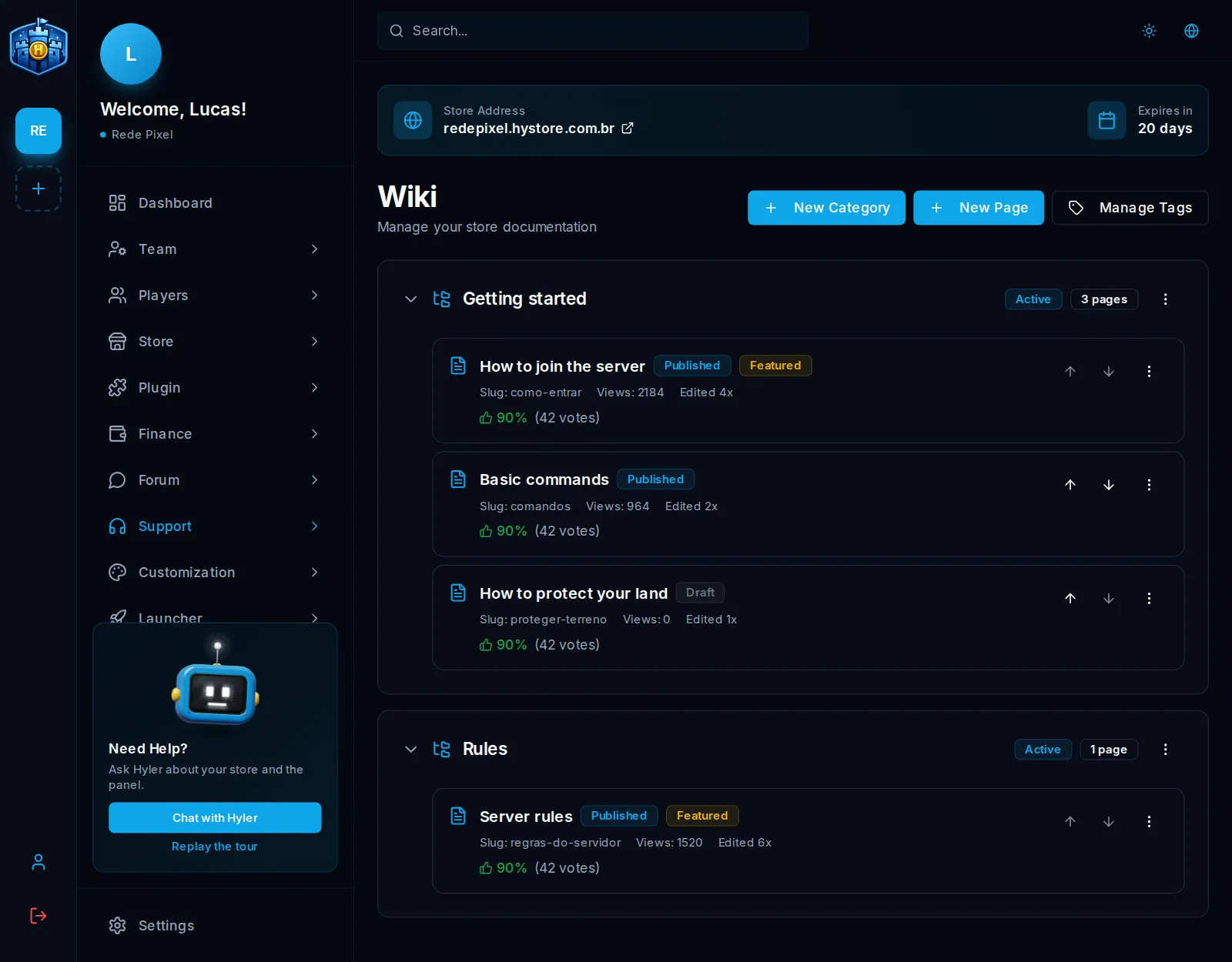
- The Move up and Move down arrows change the order. A featured page does not move: it always stays on top.
- In the three dots menu of each page: Edit, Publish or Unpublish and Delete.
- In the menu of each category: Edit, Activate or Deactivate and Delete.
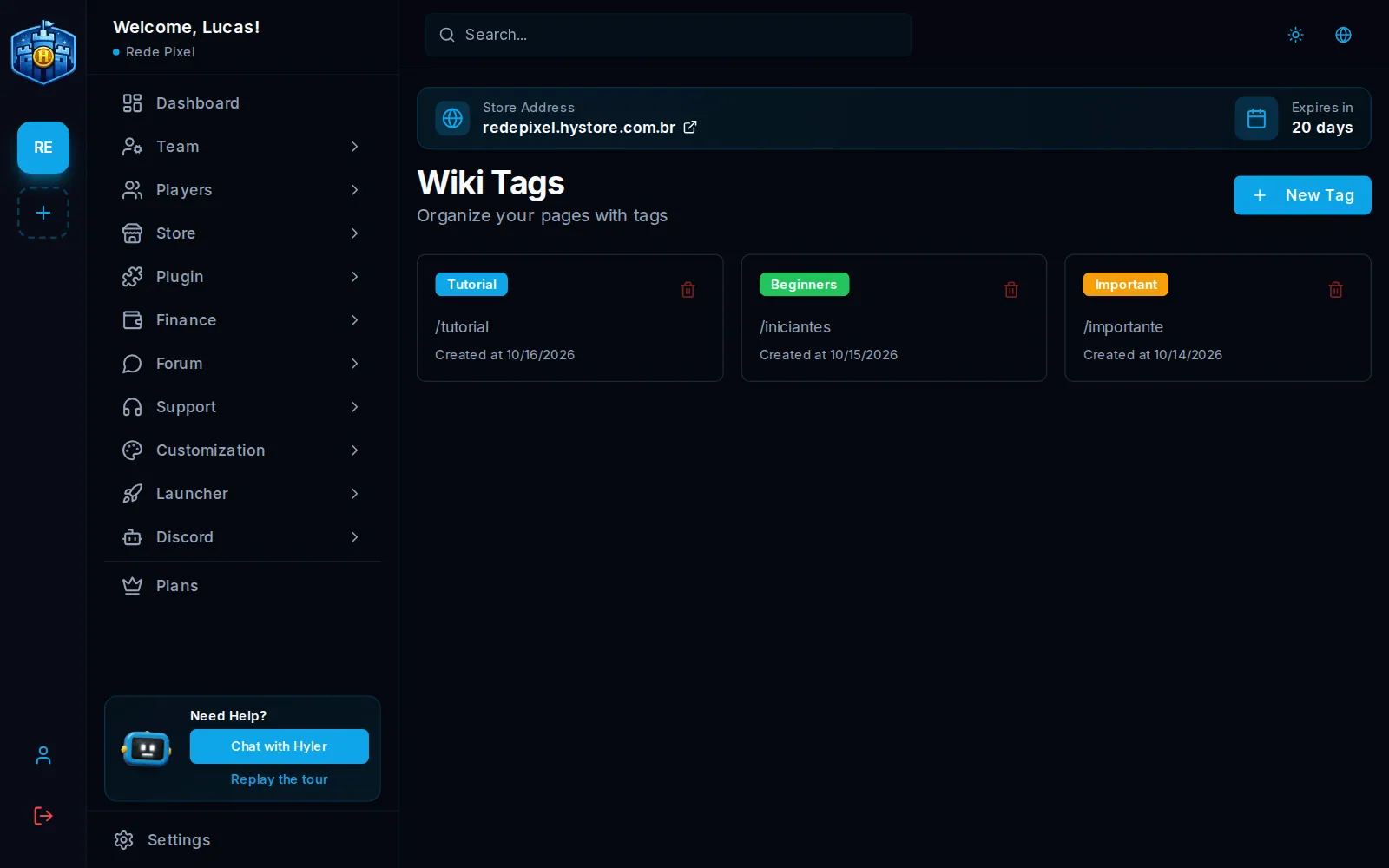
Tags
In Manage Tags, New Tag creates a tag with a name and a color. The slug comes from the name if left blank.