
Tickets
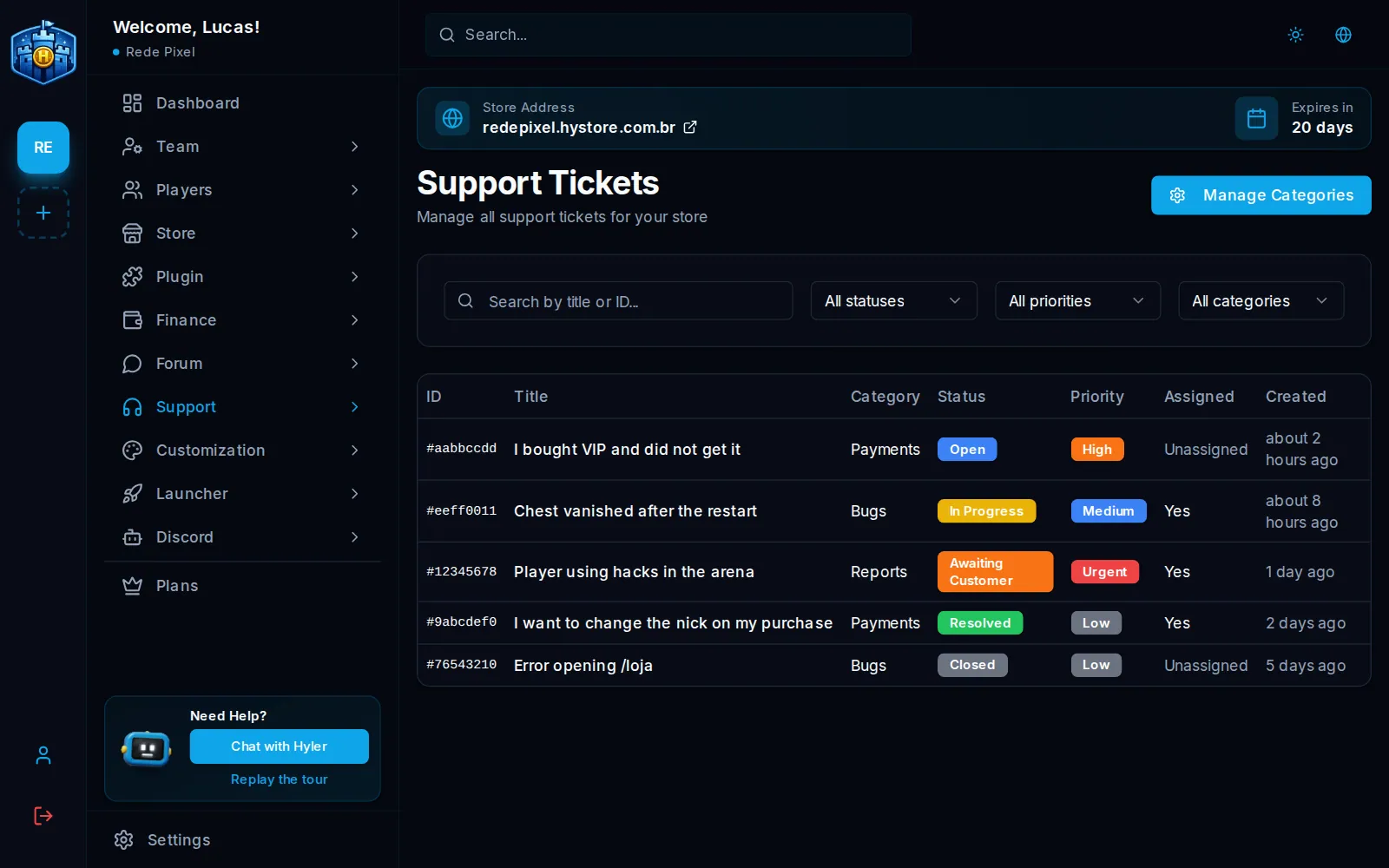
Tickets are the store's support. The player opens one at /suporte, on the store, and
the team replies in Support > Tickets, on the dashboard.
First of all: the categories
The category is the ticket's subject, and the player must pick one when opening it. So create yours first.
- In Support > Tickets, click Manage Categories.
- Click New Category.
- Fill in Name and Description. The Slug comes from the name if left blank.
- Click Create.
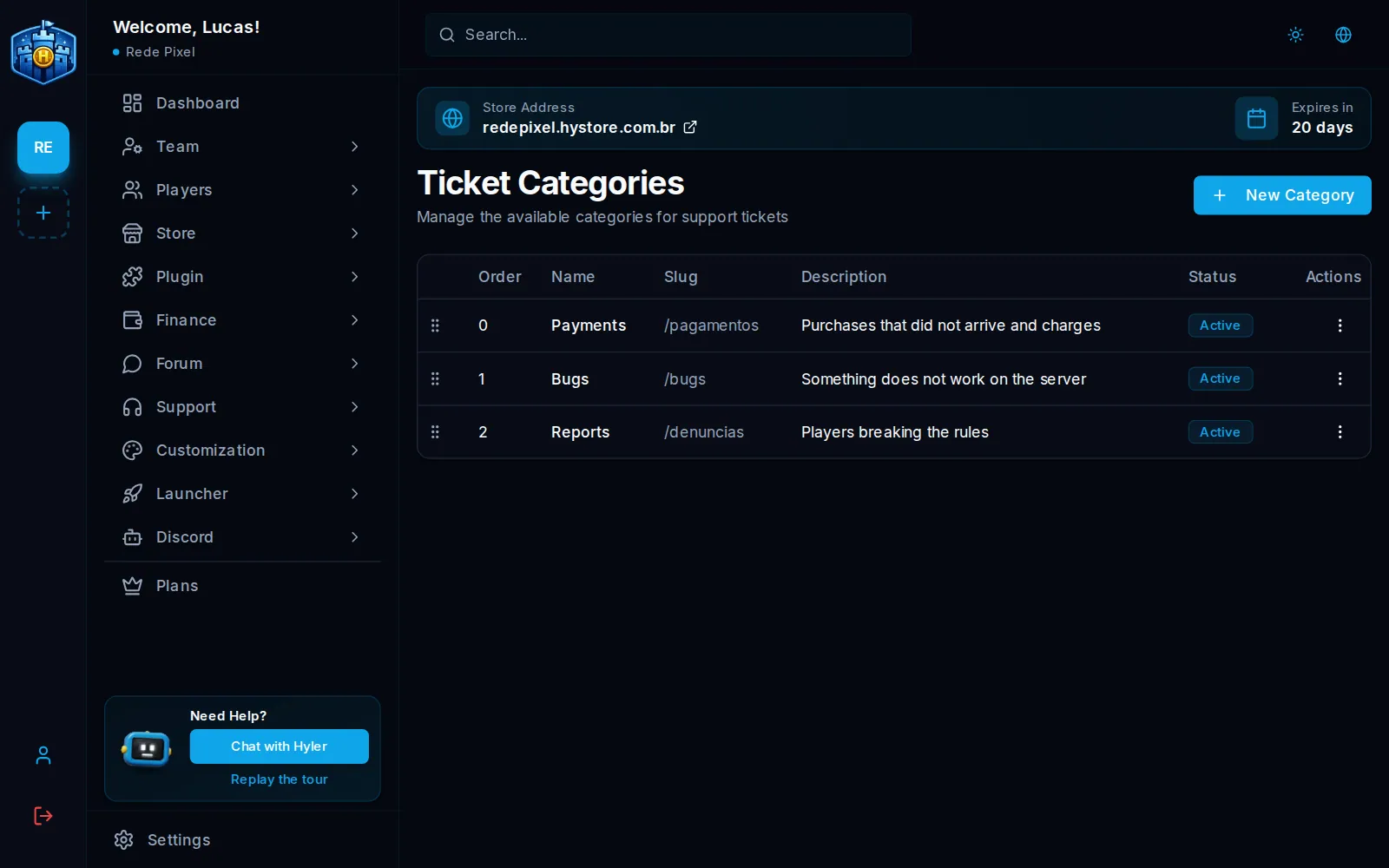
Payments: purchases that did not arrive and charges
Bugs: something does not work on the server
Reports: players breaking the rules
How the player opens one
At /suporte, after signing in, the player gives the title, the category, the priority
and the message. The priority is the one they choose, and you see it in the list.
Reply to a ticket
- In the list, click the ticket. Use the search and the Status, Priority and Category filters to find what matters.
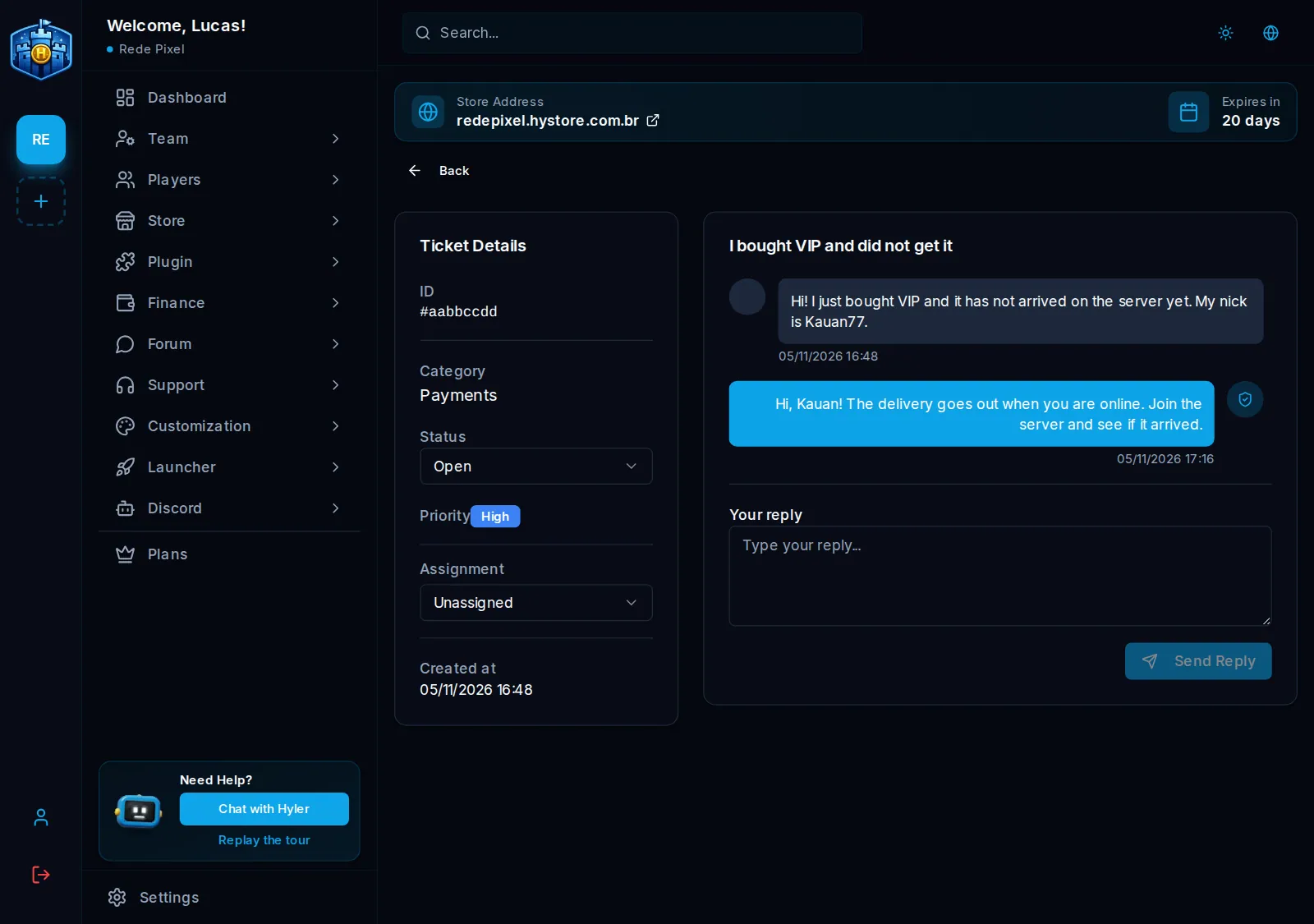
- The details are on the left. Click Assign to me so the team knows who is on it.
- Write in Your reply and click Send Reply.
- Change the Status as the support moves on.
| Status | When to use it |
|---|---|
| Open | It arrived and nobody replied |
| In Progress | The team is on it |
| Awaiting Customer | You asked something and are waiting for the player |
| Resolved | The problem is over |
| Closed | Finished. It takes no more replies |
In-game notices
In Minecraft and Hytale stores, with plugin 2.5.0 or newer, the server also tells people:
- the player learns when the team replies to their ticket, right away or when they join up to 30 minutes later;
- the online team gets a notice of new tickets: anyone with the
hystore.notify.ticketspermission on the server or a team role with New ticket notice in game.
Turn it on and off in Plugin > Announcements, on the Tickets card. See In-game announcements.
Support from the store or Discord
Players with a team role and the support permissions work from the store itself, at
/suporte/staff, with no access to the dashboard. See
Player roles.
With the bot, tickets can also go to a channel on your Discord server. See Tickets on Discord.
Support numbers, like first response time and tickets per day, show on the dashboard home.
