
Orders
Every purchase in the store becomes an order. In Store > Orders you see all of them, with the player, the total, the payment method, the date and the status, and open each one for the details and the delivery.
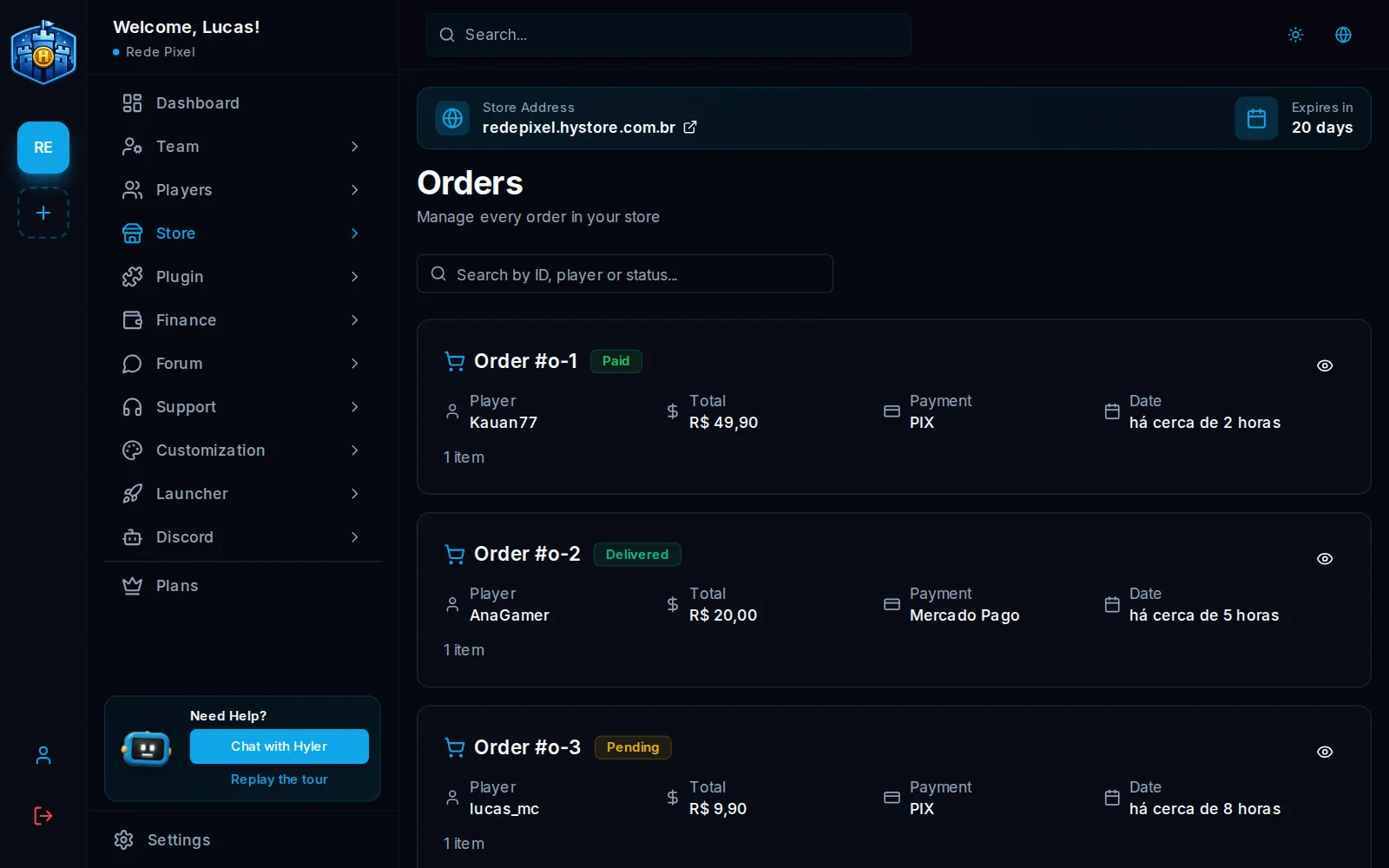
Find an order
The search at the top accepts the order number, the player's nick or the status. Clear goes back to the full list.
Order statuses
| Status | What it means |
|---|---|
| Pending | The order was placed and is waiting for the payment |
| Paid | The payment was approved and the delivery was created for the server |
| Delivered | The delivery finished in the game |
| Expired | 45 minutes passed without payment: the order stops counting and returns the stock |
| Cancelled | The order was cancelled |
| Refunded | The payment was refunded or disputed at the payment provider |
Order details
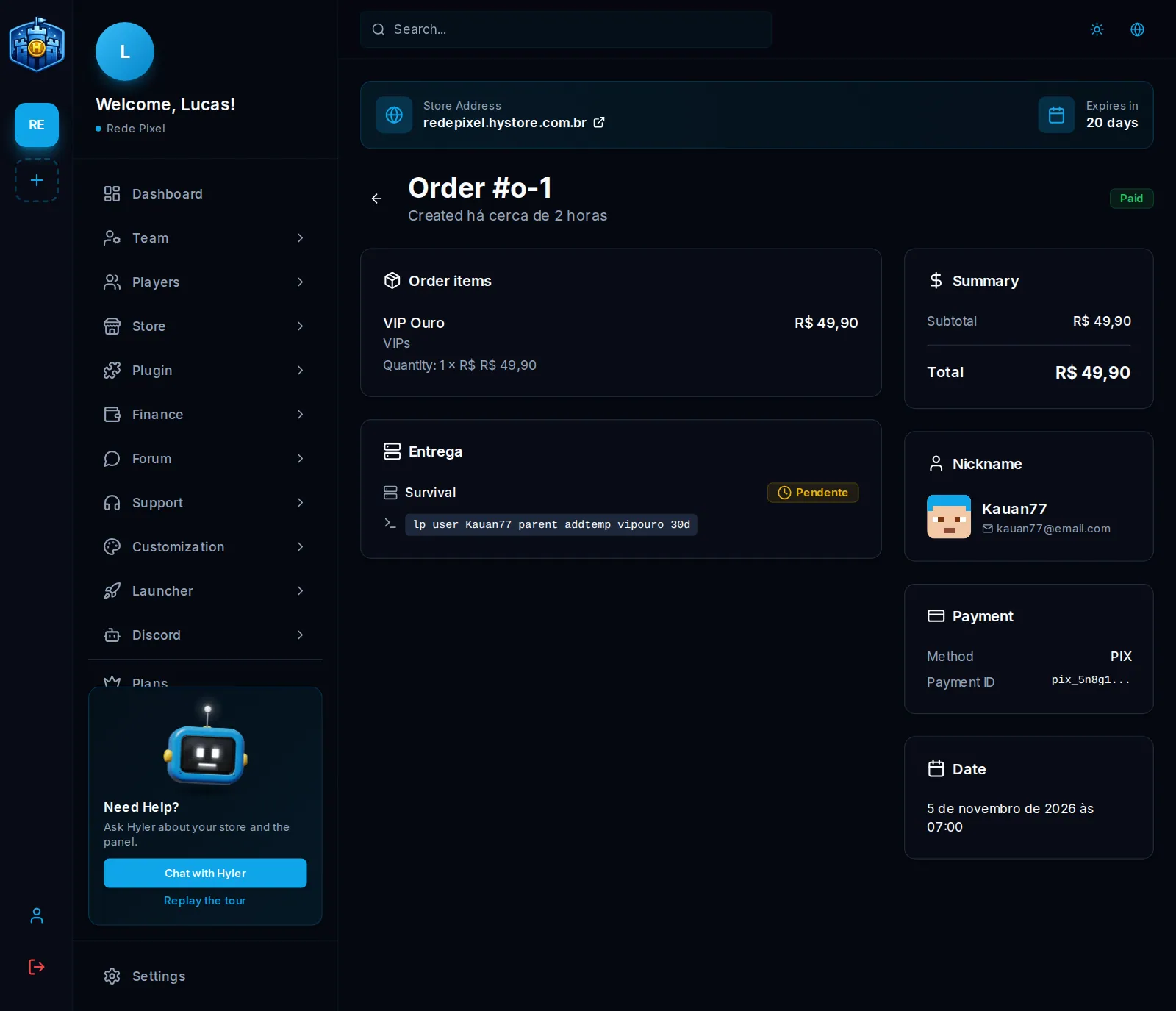
Open an order to see:
- the Order items, with the quantity and the price of each one;
- the Summary: subtotal, discount (and the coupon used), credits used and total;
- the Nickname that receives the delivery;
- the Payment: the method and the Payment ID, the transaction number at the payment provider, handy to find the sale there;
- the server delivery, with each command and whether it was delivered.
Refund and dispute
An order refunded or disputed at the payment provider becomes Refunded:
- deliveries that had not gone out to the server are cancelled;
- credits bought in that order leave the player's balance (what they already spent does not come back);
- the order stops counting in the dashboard sales.
A VIP given by the VIP system also loses the days of that purchase. See VIP on the product.
Digital products
In a digital product store, the order shows the Digital delivery card, with what the order released in My purchases: each unit, the downloads used and the end of the key delivered. Revoke access takes that unit away from the buyer. See Digital products.
