
Month goal
The month goal shows on the store home page how much the community has bought and how much is left to reach an amount, with rewards at each milestone. It is a way to turn sales into an event: "at R$ 5,000, there is a new BedWars map".
Everything is in Store > Month Goal.
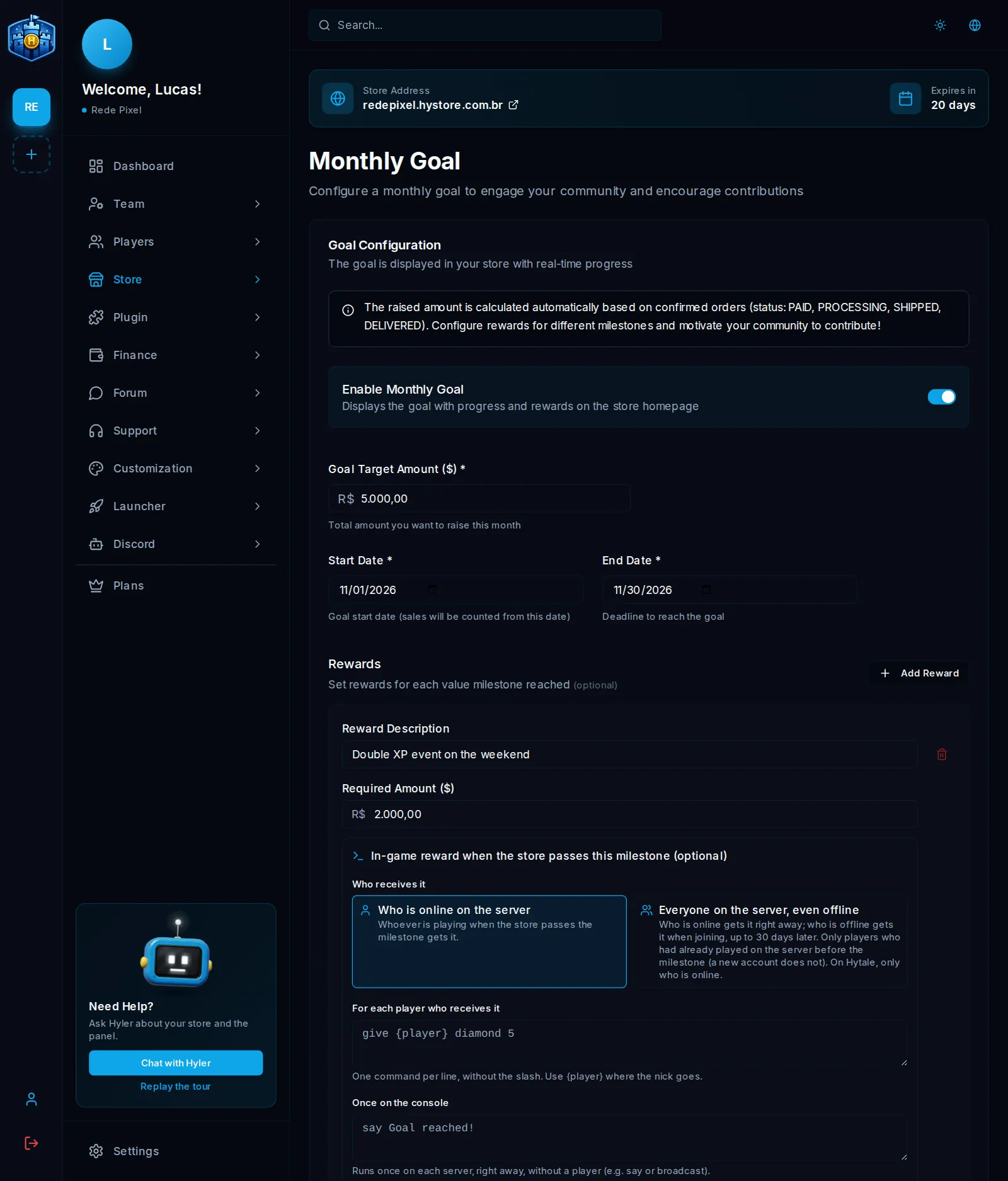
Create the goal
- In Store > Month Goal, turn on Enable Monthly Goal.
- Enter the Goal Target Amount, the Start Date and the End Date.
- In Rewards, click Add Reward for each milestone. Each one has the Reward Description and the Required Amount.
- Save. The preview, on the same screen, shows how the goal looks in the store.
The collected amount adds up on its own from confirmed orders (paid, processing, shipped or delivered) from the start date on.
In-game reward
In Minecraft and Hytale stores (plugin 2.7.0 or newer), each milestone can have an in-game reward for when the store passes it:
- Who receives it: Who is online on the server (whoever is playing at that moment) or Everyone on the server, even offline (whoever is offline gets it when they join, up to 30 days later; only those who had played before the milestone; on Hytale, only those online).
- For each player who receives it: one command per line, without the slash,
with
{player}where the nick goes. - Once on the console: commands without a player, which run once on each server.
give {player} diamond 5
eco give {player} 500
say The goal was reached! Thank you, community!
When the store passes the milestone, the chat tells everyone and the commands run only once per goal; refunds and editing the goal do not repeat them. Up to 20 commands in each box, up to 500 characters each.
The goal on the game screen
On the in-game goal card (plugin 2.5.0 or newer), with each purchase that moves the goal, the top bar and the bottom bar of the screen show how much is left: only when someone buys (for the time you pick, from 3 to 300 seconds) or fixed on screen all the time. Pick both, just one or none, the color and the bar design.
The same design applies to the PlaceholderAPI placeholders:
%hystore_meta_barra%, %hystore_meta%, %hystore_meta_atual%,
%hystore_meta_alvo% and %hystore_meta_falta%.
