
Coupons
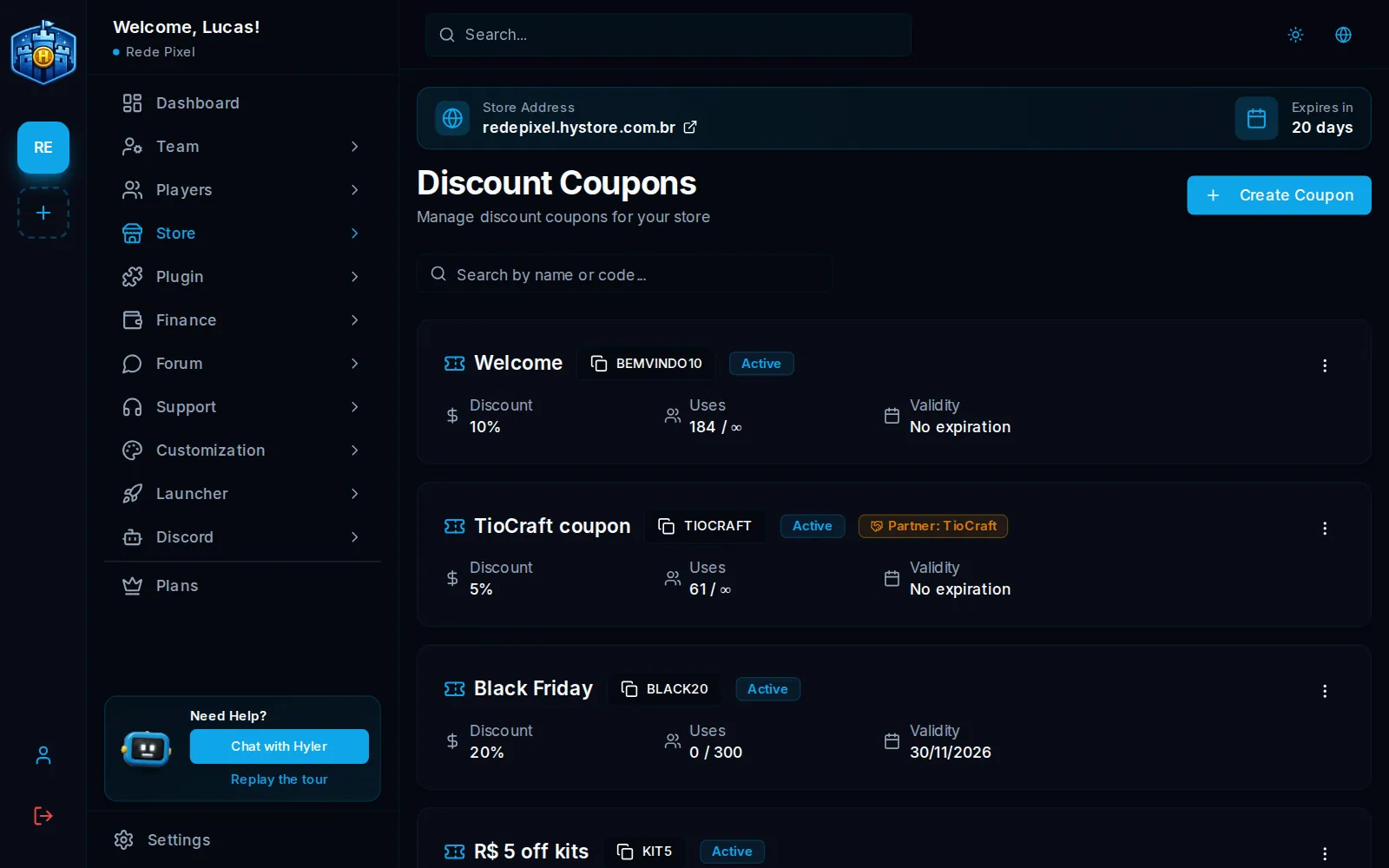
A coupon gives the player a discount at checkout. It works for welcome offers, date promotions (Black Friday, the server's anniversary), partnerships with content creators and Discord campaigns.
Everything is in Store > Coupons.
Create a coupon
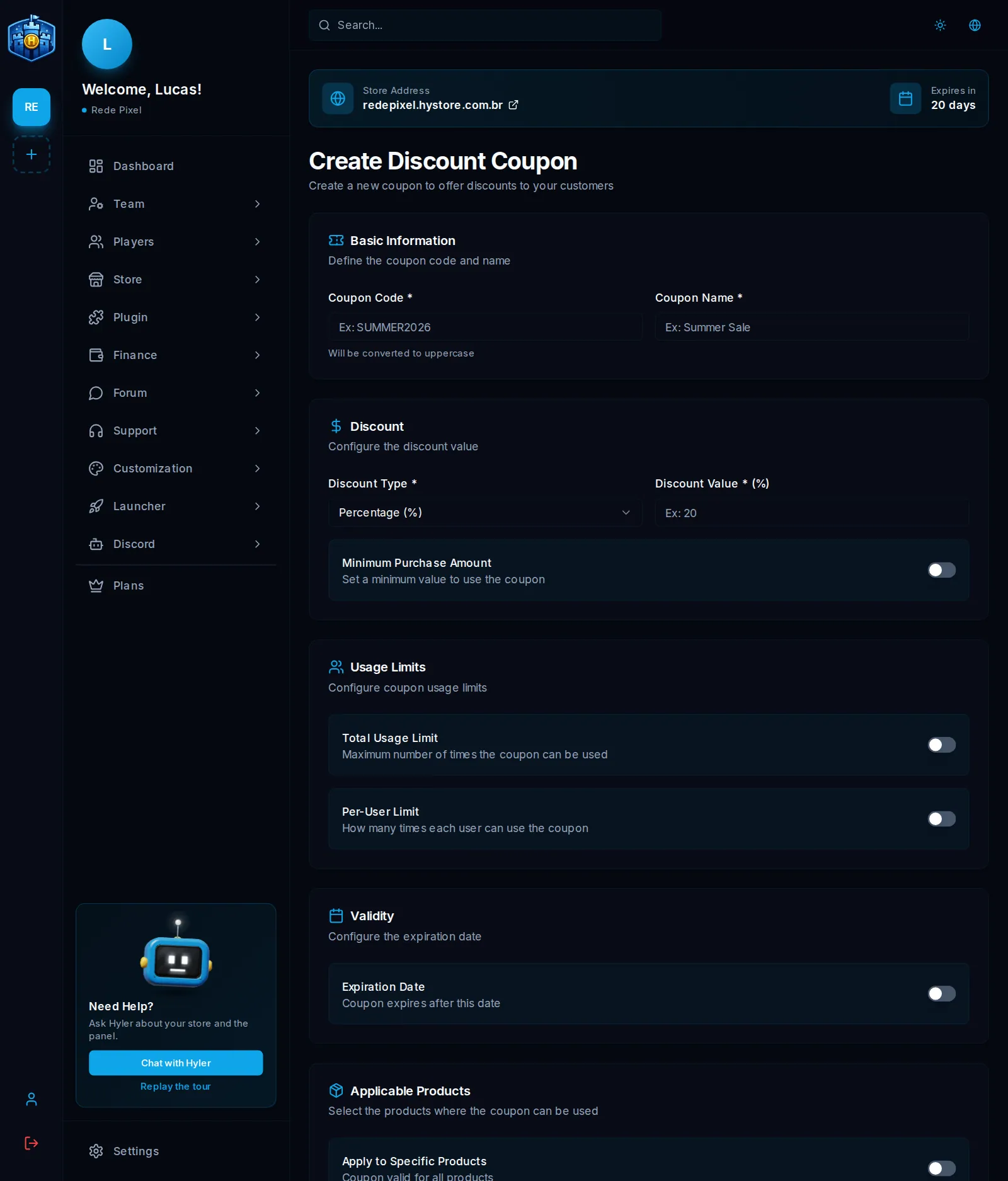
- In Store > Coupons, click Create Coupon.
- In Basic Information, enter the Coupon Code (for example
WELCOME10) and the Coupon Name, which only you see. The code is saved in uppercase and does not change later. - In Discount, pick the Discount Type: Percentage (%) or Fixed Amount ($), and the value.
- If you like, limit the coupon:
- minimum purchase amount;
- total use limit (for example, the first 300);
- limit per player (for example, 1 use per player);
- expiration date;
- the products it applies to.
- Save.
An expired coupon stops working on its own. In the list, each coupon shows its status (Active, Inactive or Expired), the discount, the uses, the validity and the minimum purchase.
Announce on the server
In Minecraft and Hytale stores, check Announce on the server when saving: whoever is playing sees the code, the discount and the validity in the chat. With Also as a title on screen, the announcement shows big in the middle of the screen. Only an active, valid coupon is announced, and whoever announces needs the permission to send notices to the server.
Partner coupon
In Partner coupon, the coupon can be linked to a player, like a content creator. Each sale paid with the coupon becomes a commission for them. The coupon then shows the partner badge and the nick. See Store partners.
Edit and delete
Edit changes everything but the code. On the edit screen, the Coupon Status switch turns the coupon on and off: off, it stops working and can be turned on again later. Delete is final.
