
Address and custom domain
Every store starts with a free Hystore address, like redepixel.hystore.com.br.
On plans that include it, you can also connect a domain of your own, like
shop.yourserver.com. Both addresses keep working at the same time.
All of this is in Settings > Domains.
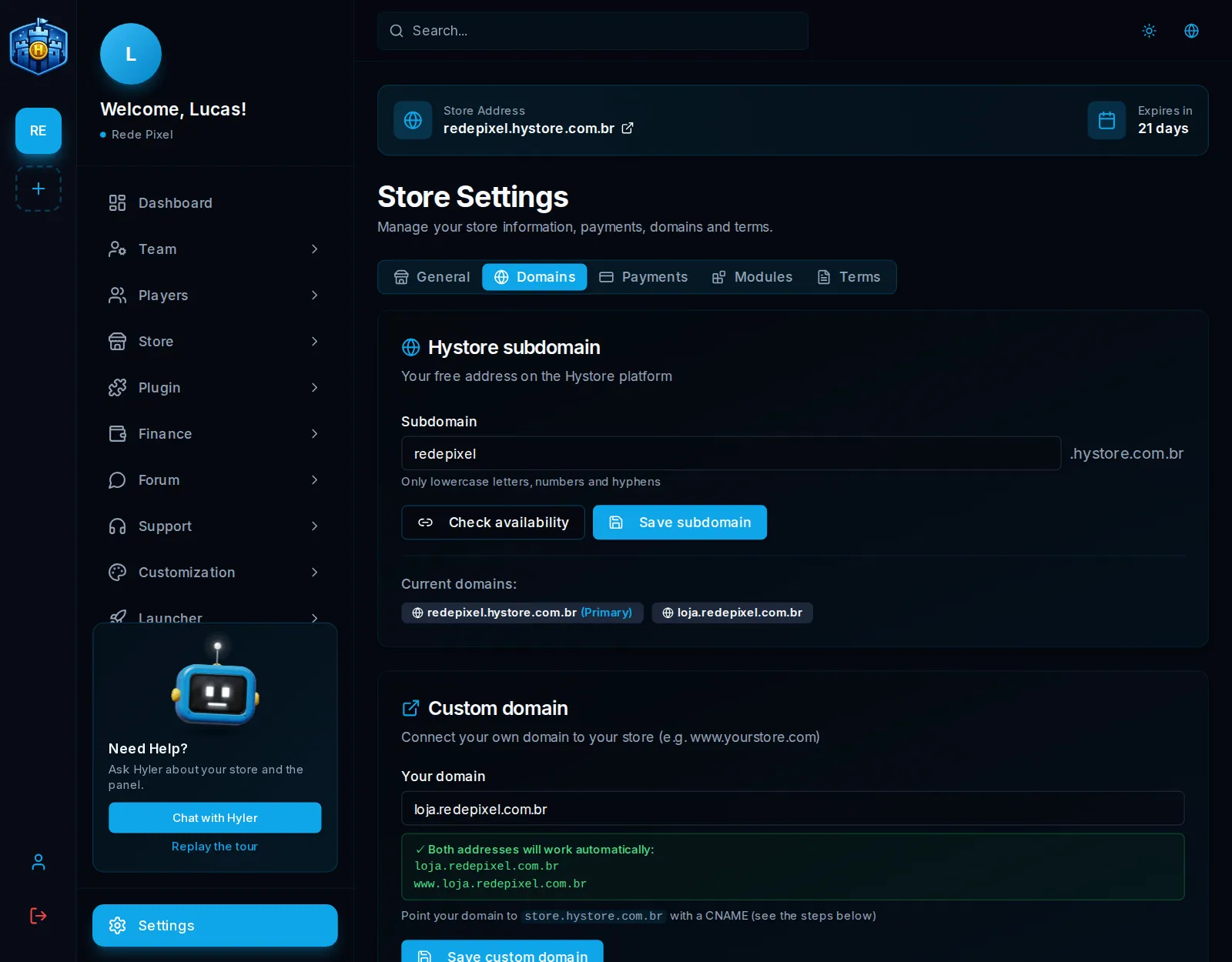
Change the Hystore subdomain
- On the Hystore subdomain card, type the new name in Subdomain. Use only lowercase letters, numbers and hyphens.
- Click Check availability. The screen says Subdomain available or Subdomain already in use.
- Click Save subdomain.
Current domains lists every address of the store; the one marked (Primary) is the one the dashboard uses in links.
Connect your own domain
You need a registered domain (at GoDaddy, Namecheap, Cloudflare or wherever you like) and access to its DNS panel.
-
On the Custom domain card, type the domain in Your domain, for example
shop.yourserver.comoryourserver.com. -
Open your provider's DNS panel and create the records the screen shows in How to set up the DNS:
Type Name Value Proxy (Cloudflare) CNAME @store.hystore.com.brOff (DNS only) CNAME wwwstore.hystore.com.brOff (DNS only) -
Back in the dashboard, click Save custom domain.
-
The security certificate (the HTTPS padlock) is issued on its own in a few seconds. You do not need to buy or install anything.
Some providers do not accept a CNAME on the root record (@). In that case,
create only the www record: the store opens at www.yourdomain.com.
If your plan has no custom domain, the card shows Premium feature. See the plans that include it in Plan and subscription.
The domain is already on another store
If the domain is connected to another Hystore store (an old store of yours, for example), the screen shows Prove the domain is yours, with a TXT record that belongs to your store:
| Type | Name | Value |
|---|---|---|
| TXT | _hystore.yourdomain.com |
the value the screen shows, with the Copy button |
- Create this TXT record in the domain's DNS.
- Click Verify and bring the domain.
- Once the record is found, the domain leaves the other store and moves to yours.
DNS propagation can take a few minutes. After the check, the TXT record can be deleted.
Common problems
| What happens | What to do |
|---|---|
| The store does not open on the new domain | Check that the CNAMEs point to store.hystore.com.br and wait for DNS propagation (minutes, sometimes a few hours) |
| The browser says the connection is not secure | On Cloudflare, leave the cloud grey; the certificate is issued on its own once the DNS points straight |
| The domain is "already in use" | It is on another store: use the TXT record above to bring it over |
| The domain field does not show | The current plan does not include a custom domain |
