
Profile and security
My Profile, the person icon on the store bar (the thin column on the left), holds your details, your password, two-factor authentication and the link to the Hystore community Discord. These options belong to your account and apply to all your stores.
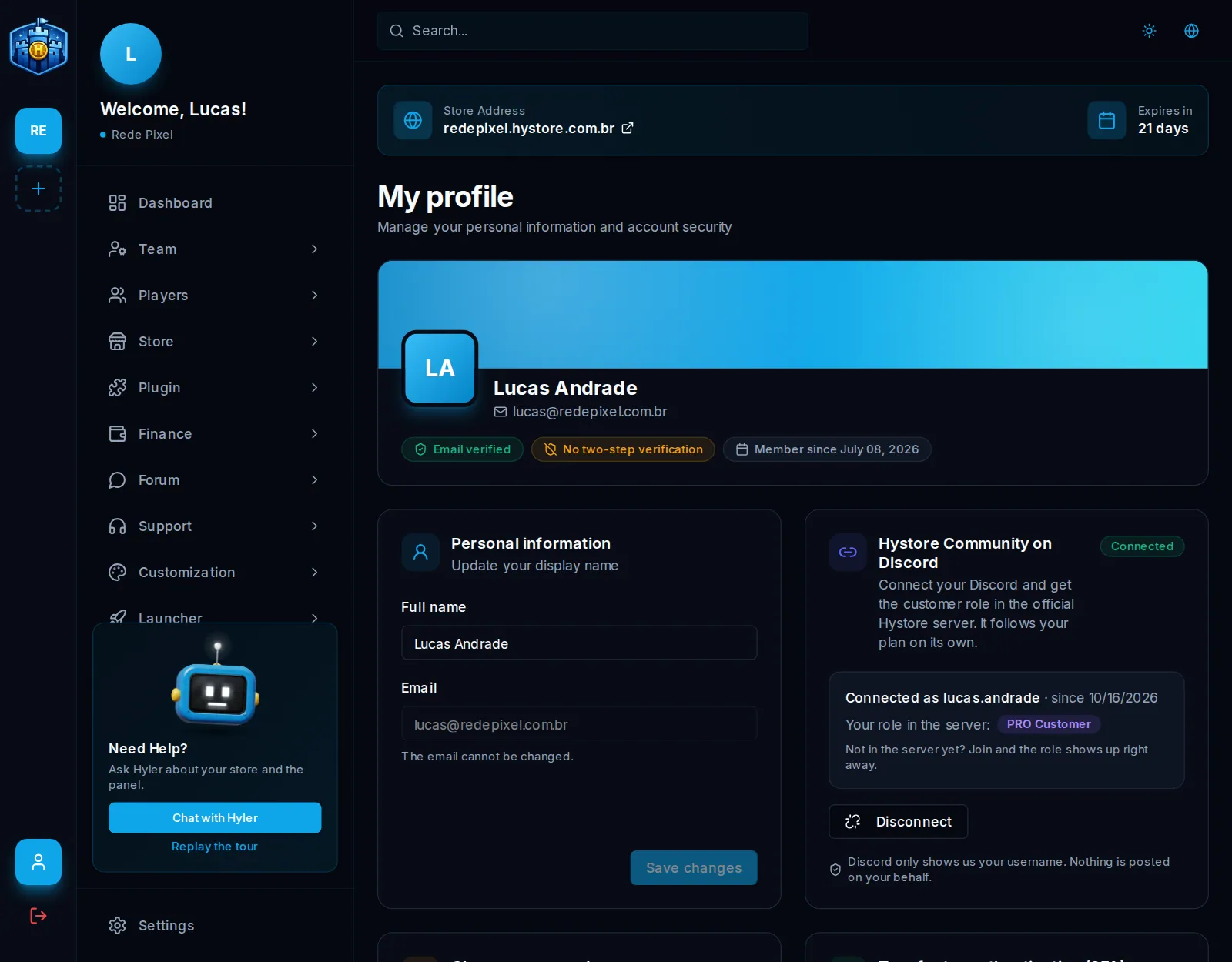
Name and email
The display name can be changed; it is how the dashboard and the team see you. The account email does not change from the profile. The screen shows whether it is verified and since when you are a member.
Change the password
- On the Change password card, type the Current password.
- Type the New password (at least 8 characters) and repeat it in Confirm new password.
- Click Change password.
Forgot your password? On the login screen, click Forgot password?: a reset link arrives by email, valid once and for a short time.
Turn on two-factor authentication (2FA)
With 2FA, logging in asks for the password and a code from your phone. Even if someone finds out the password, they cannot get in without the phone.
- Install an authenticator app, like Google Authenticator or Authy.
- On the Two-factor authentication (2FA) card, click Turn on 2FA.
- Scan the QR code with the app.
- Type the 6-digit code the app shows in Verification code and click Confirm and turn on.
- The screen shows the Recovery codes. They only show now: click Download codes, keep the file somewhere safe and click Saved them, close.
To create new codes, use Regenerate codes and confirm with the app's current code; the old codes stop working. To turn 2FA off, type the app's code in Current code to turn it off and click Turn off 2FA.
Hystore Community on Discord
The official Hystore Discord server gives roles to customers. You link your account here:
- In the Hystore Community on Discord section, click Connect Discord.
- Discord opens and asks for your authorization; it only shares your username.
- Back in the dashboard, the section shows Connected as and your role in the server.
The roles are Cliente Hystore for whoever has at least one active store, plus Cliente PRO on the Profissional plan and Cliente Enterprise on Network. The role follows the plan on its own and goes away when the account has no active store. Disconnect removes the roles.
